
What is a chip UI component?
Chips are compact elements that represent an input, attribute, or action. Chips help users enter information, make selections, filter content, or trigger actions.
Chips visually resembles a pill.
Chips should wrap to text, and the text is usually short.
Chips should be interacted with.
Chips are commonly found in a set or group, and are rarely ever standalone.
Chips are commonly found in design patterns like: Filter & sorting, Selecting options, Information categorization, Suggestion screen patterns.
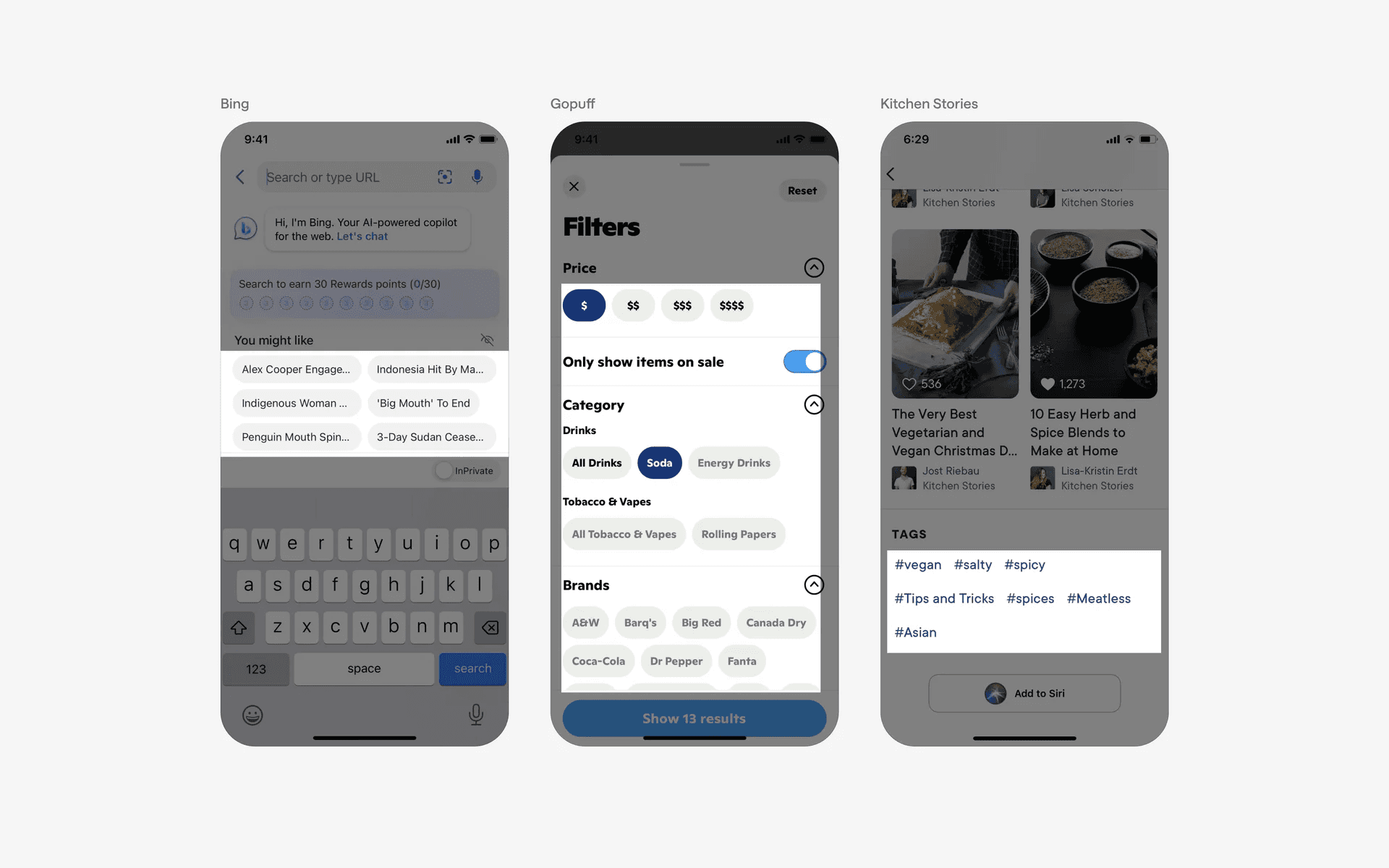
Examples of chips
What is the anatomy of a chip?
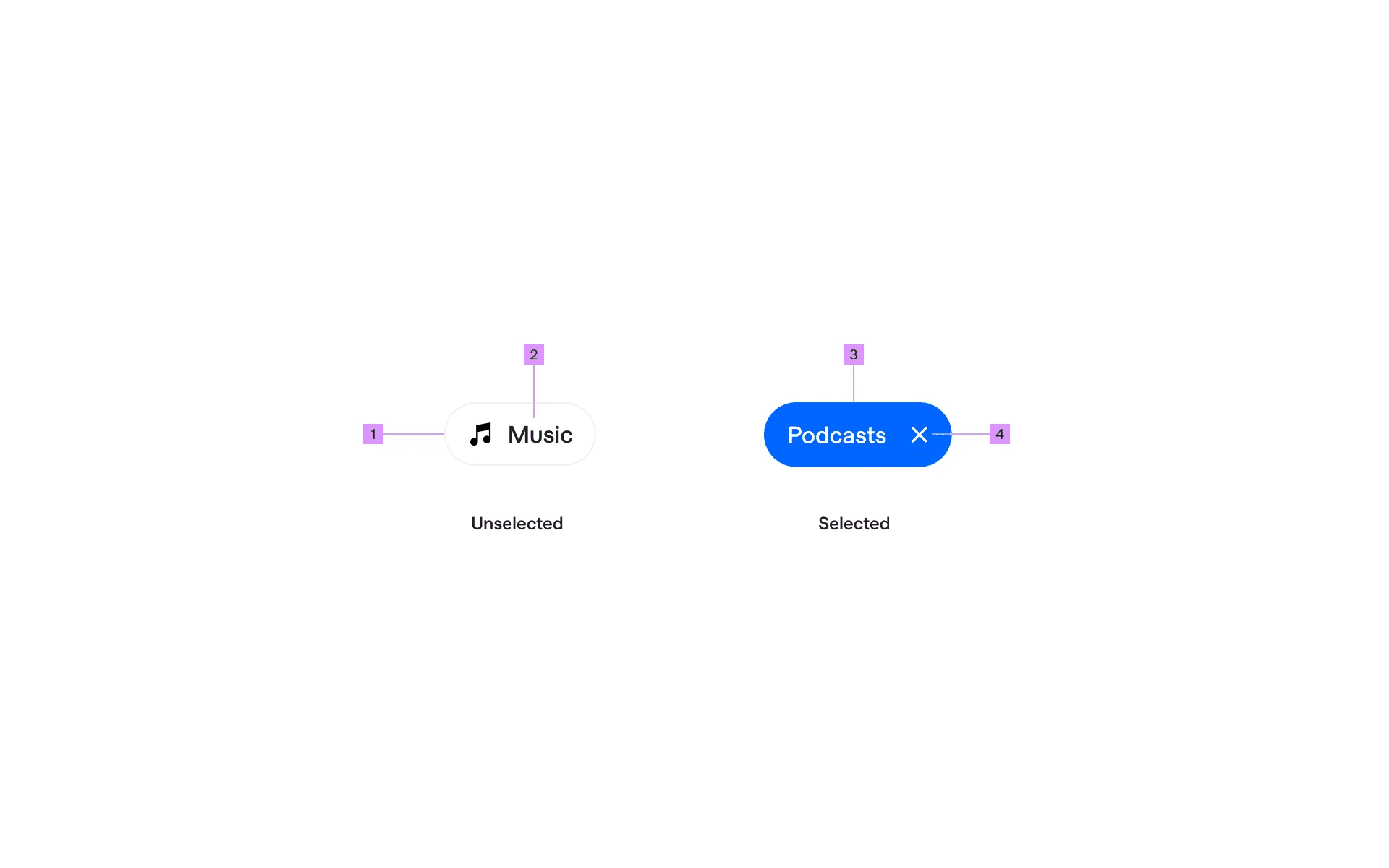
Anatomy of a chip
1
Leading Icon (optional)
2
Label
3
Container
4
Trailing Icon (optional)
What are the design variants of a chip component?
We studied over 4,600+ chip UI components on Mobbin, from real-world examples and found the following variants.
1. Chips can have filled or outline styled containers
The most common chip style are filled chips. Selected chips often uses the app's accent color to highlight a selected state.
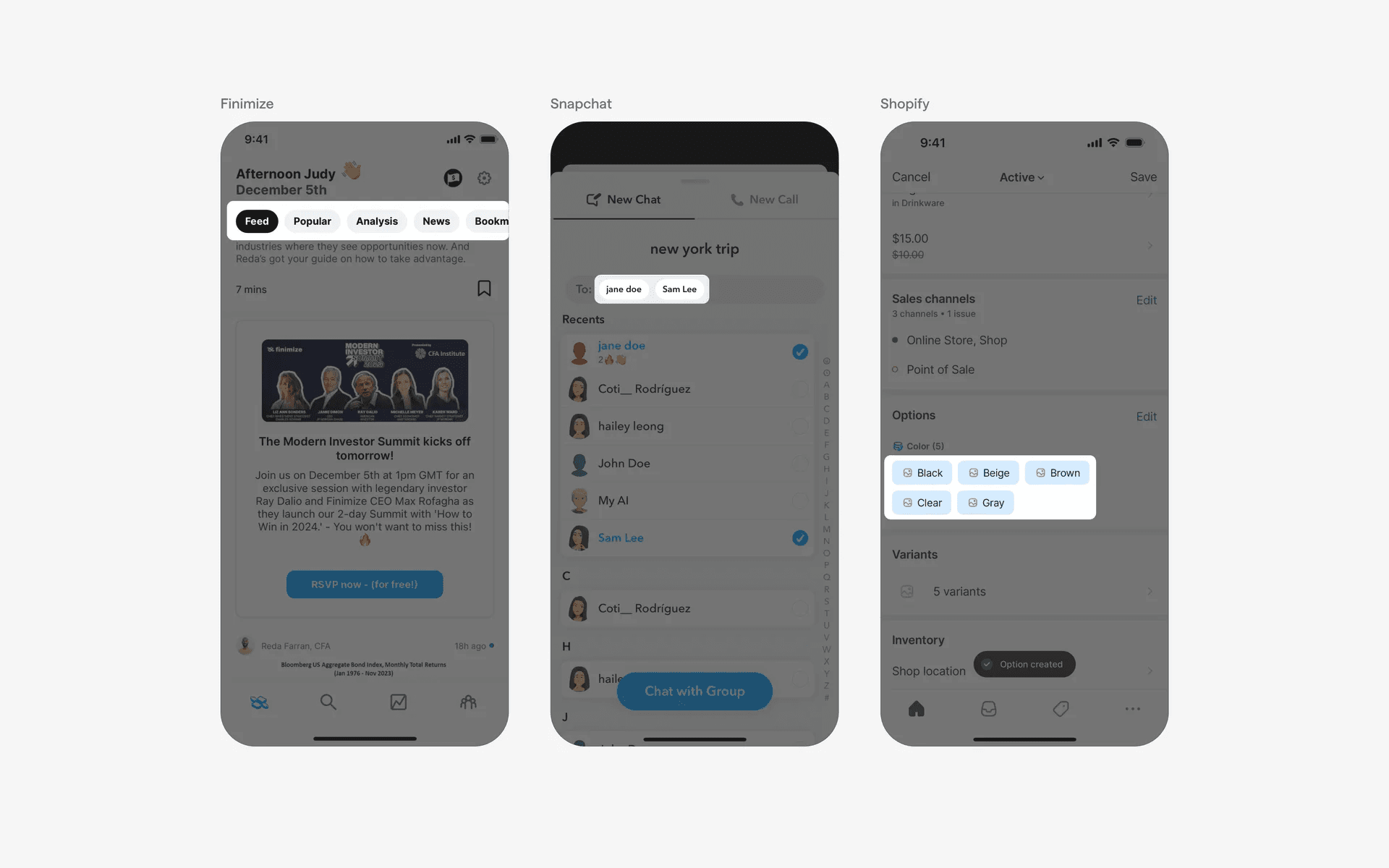
Examples of chips with filled container
Alternatively, consider using an outline style for your chips.
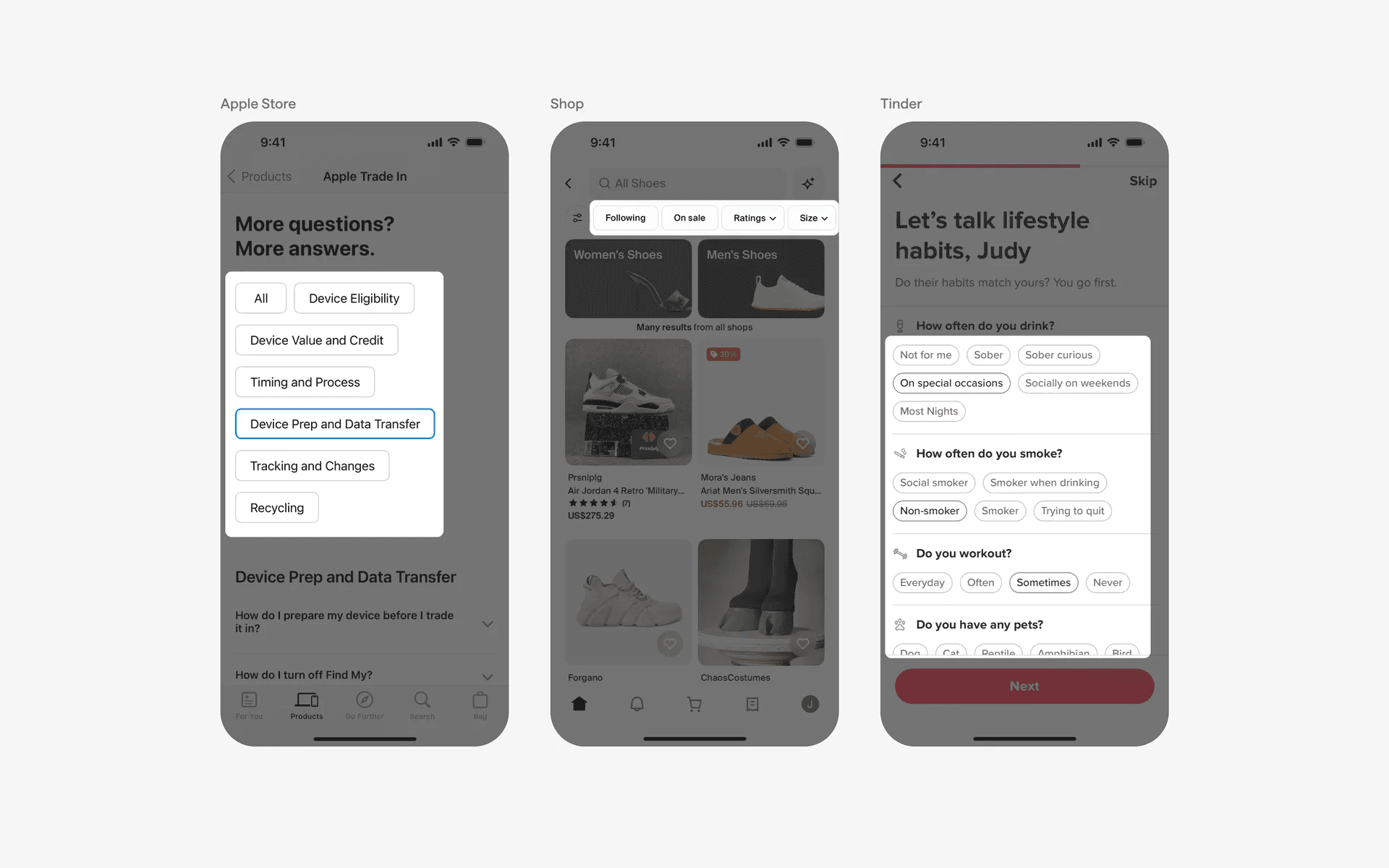
Examples of chips with outline style container
2. Chips with trailing icons (Caret, Remove icon, Number labels)
Chips with a trailing caret icon usually indicates that users are able to filter content by triggering a dropdown menu. This variant of chips are commonly used in filter & sorting design patterns.
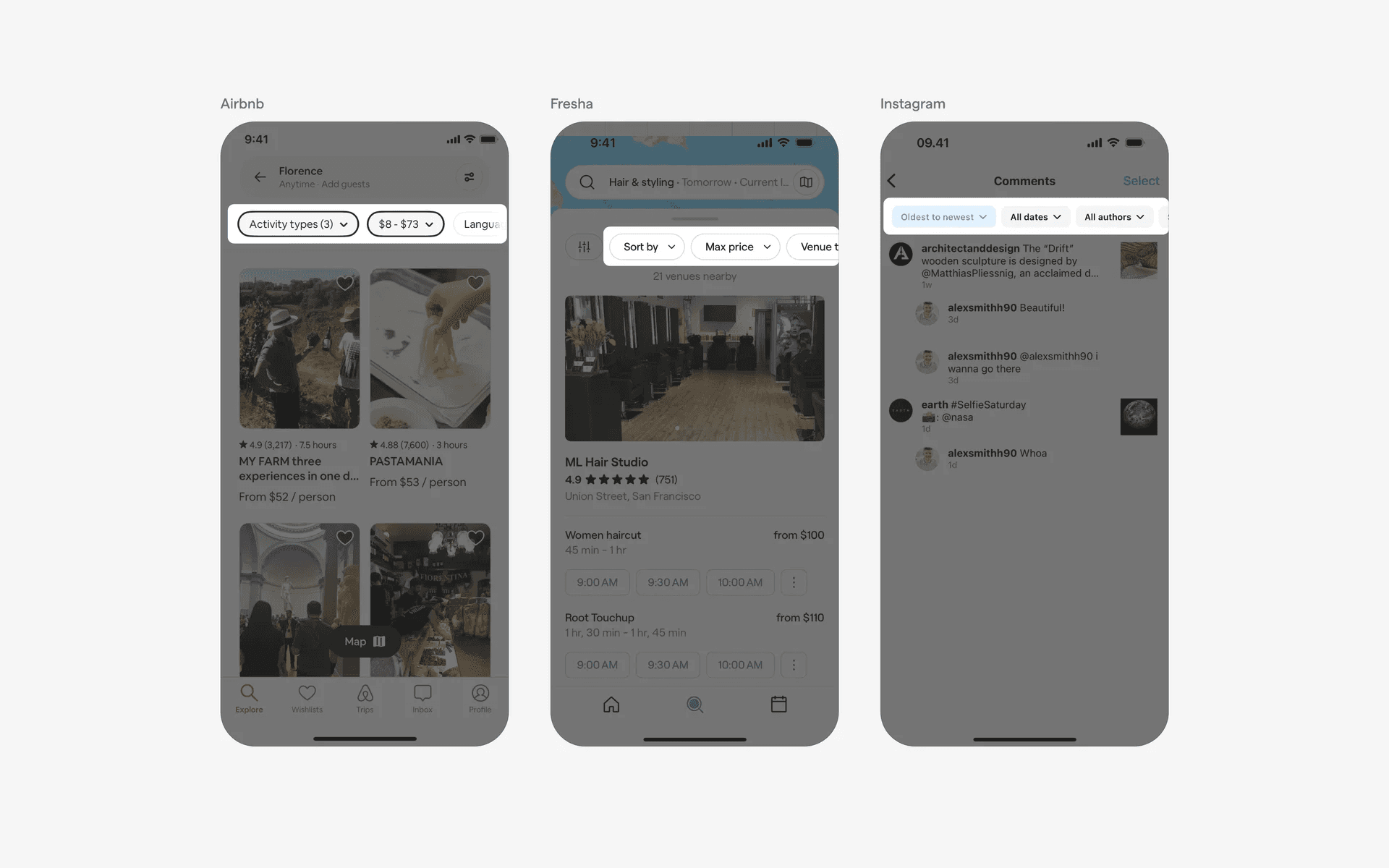
Examples of chips with trailing caret icons
Chips with a trailing remove icon indicates that users can add or remove inputs. This is commonly used in contact books, or email invitation flows.
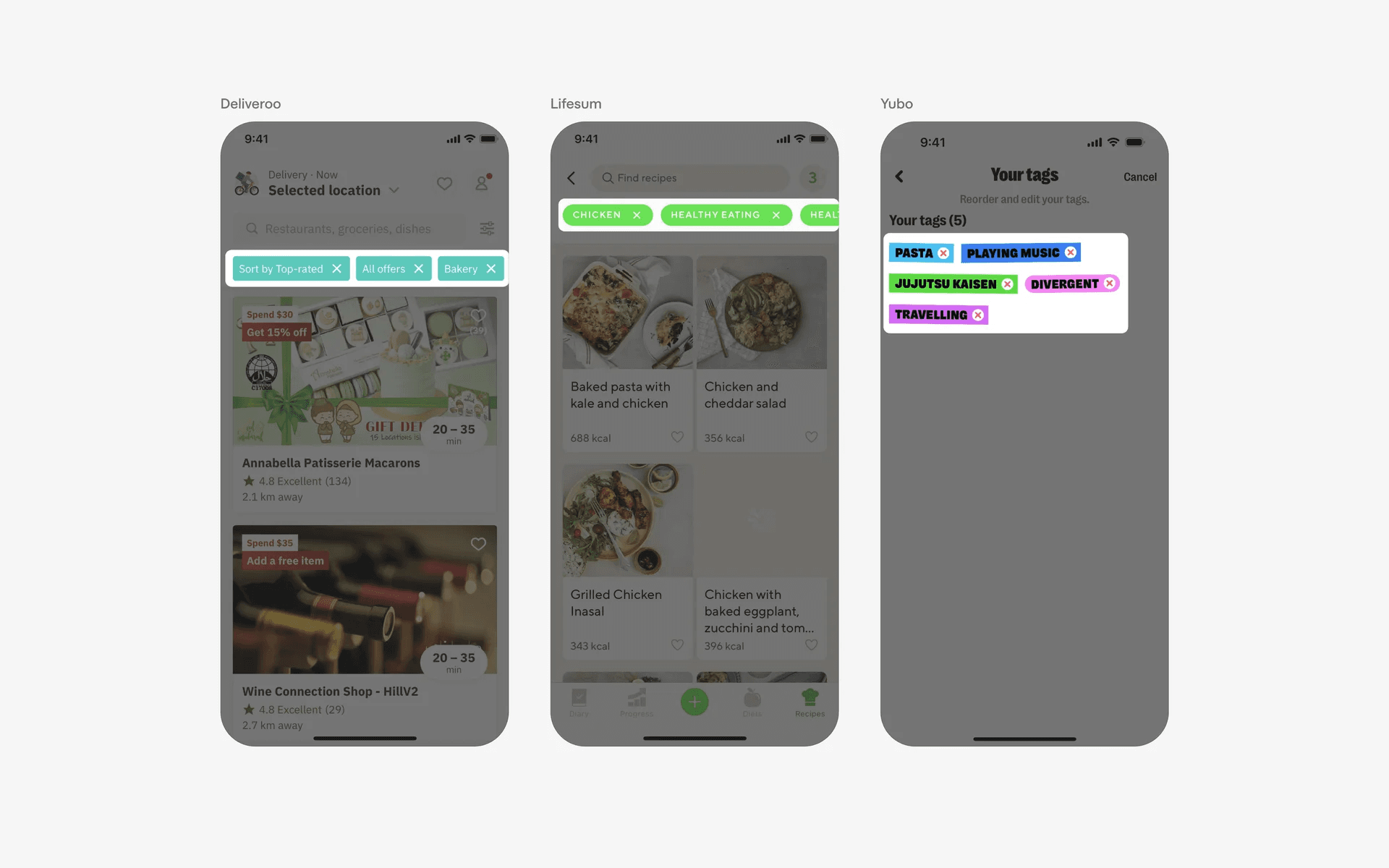
Examples of chips with trailing remove icons
Chips with trailing number labels help to visually represent the magnitude of user inputs. These chips are commonly used to show participation or social proof. For example, chat apps like Slack has made the emoji react chip design popular.
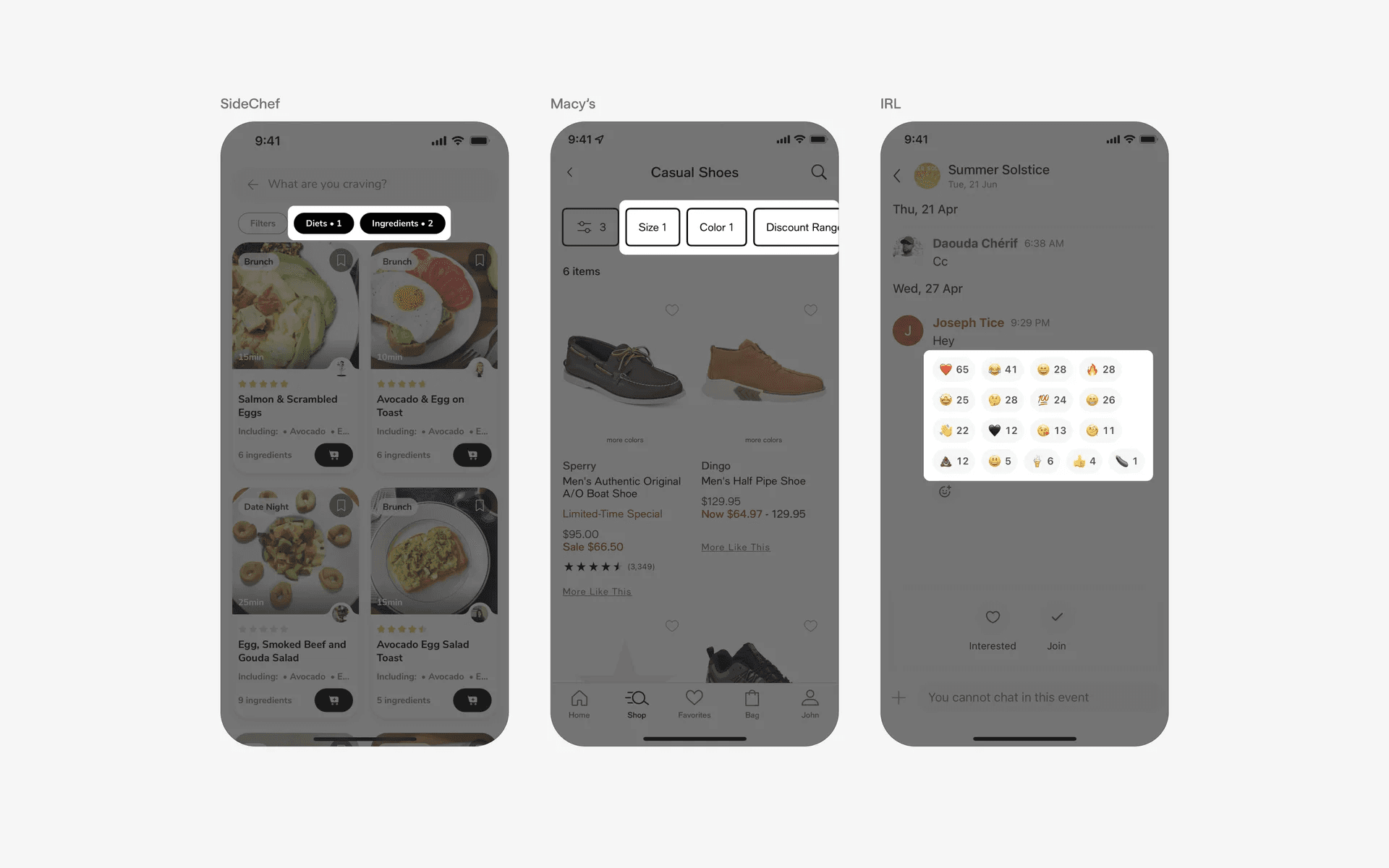
Examples of chips with trailing number label
3. Chips with leading icons (Hashtag, Icon, Avatar)
Chips with leading hashtag symbols are commonly used for organisational purposes. This allow users to filter content in social media platforms.
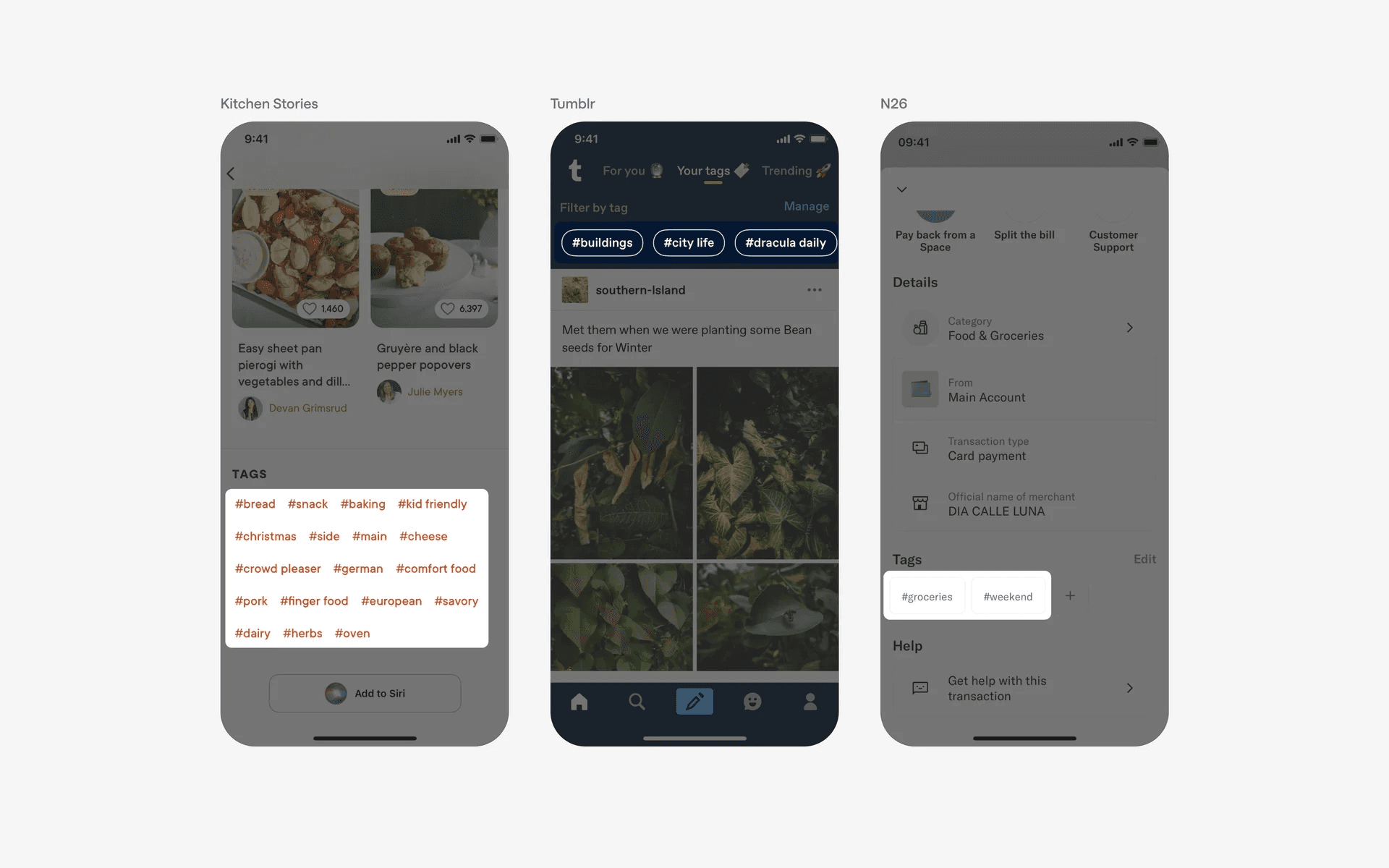
Examples of chips with leading hashtag symbols
Since multiple chips are frequently grouped together, it might be hard for users to find what they need from 'a sea of chips'.
A good way to solve this problem is to create chips with leading icons or avatars add additional visual cues to allow users to differentiate between chips, allowing them to easily identify or filter chips based on their needs.
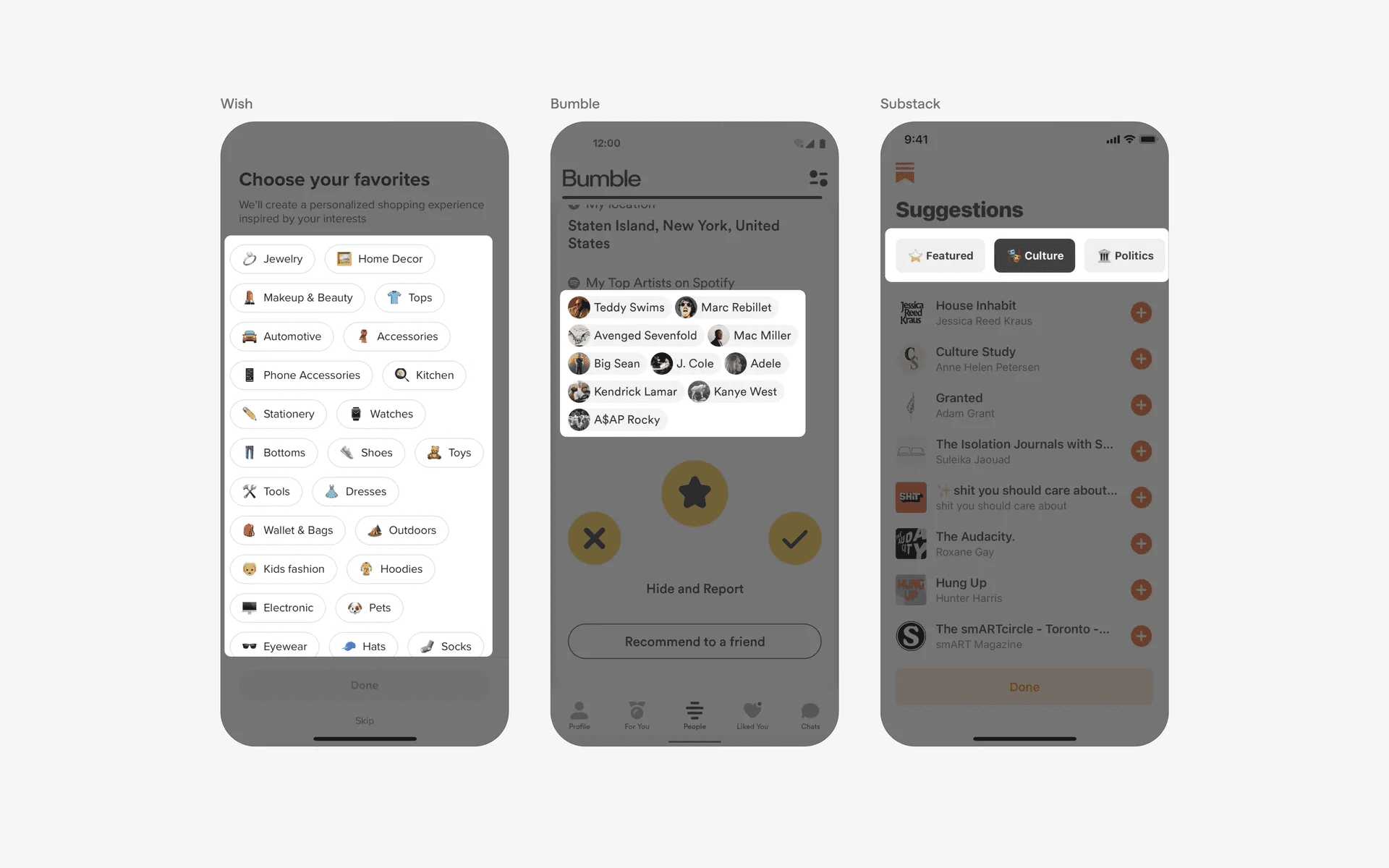
Examples of chips with leading icon or avatar thumbnails
When to use a chip component?
1. Filter & sorting
Filter chips allow users to quickly filter content by allowing users to select from multiple chips.
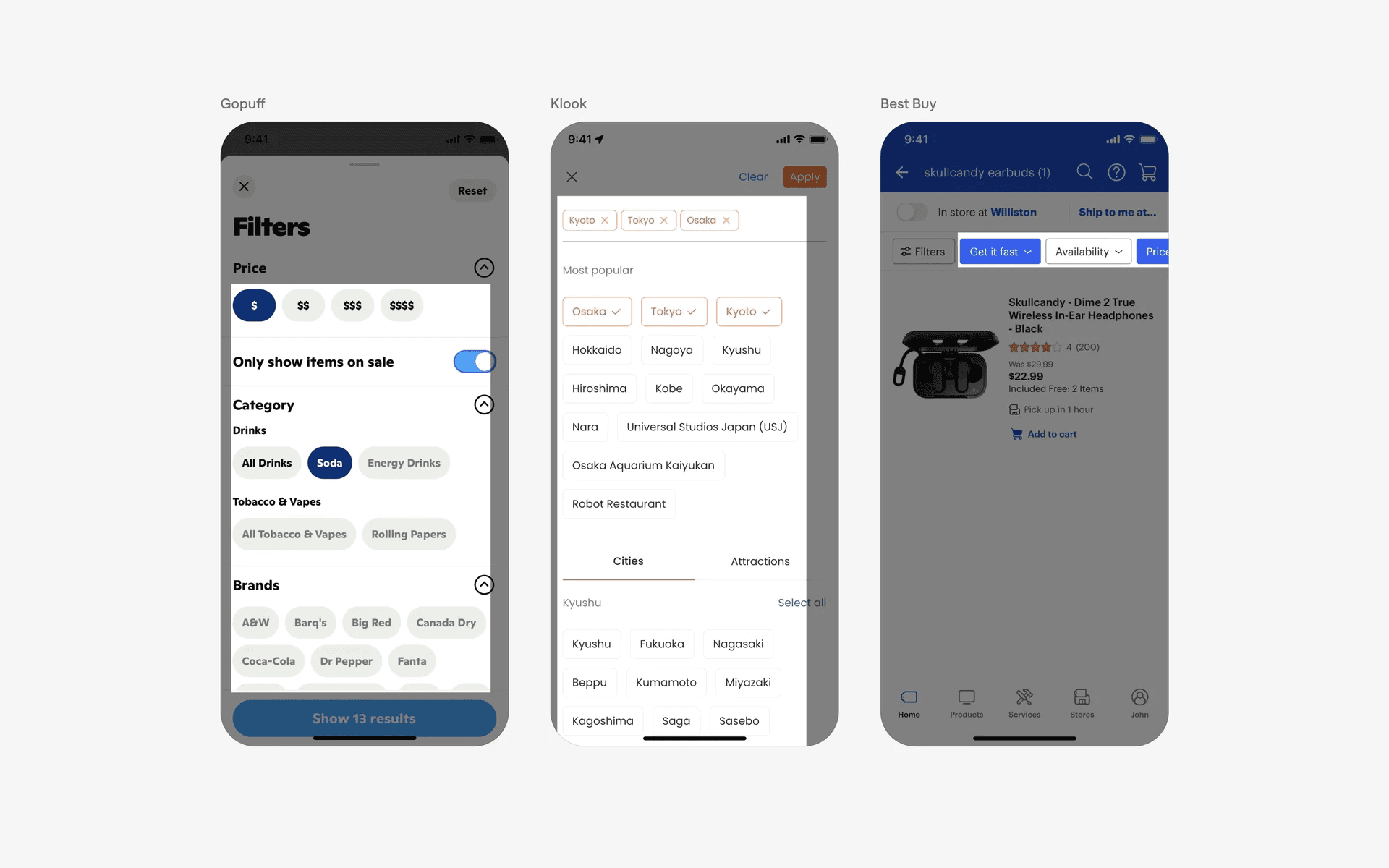
Examples of filter chips
2. Selecting options
Chips can also allow users to make selections from a set of options.
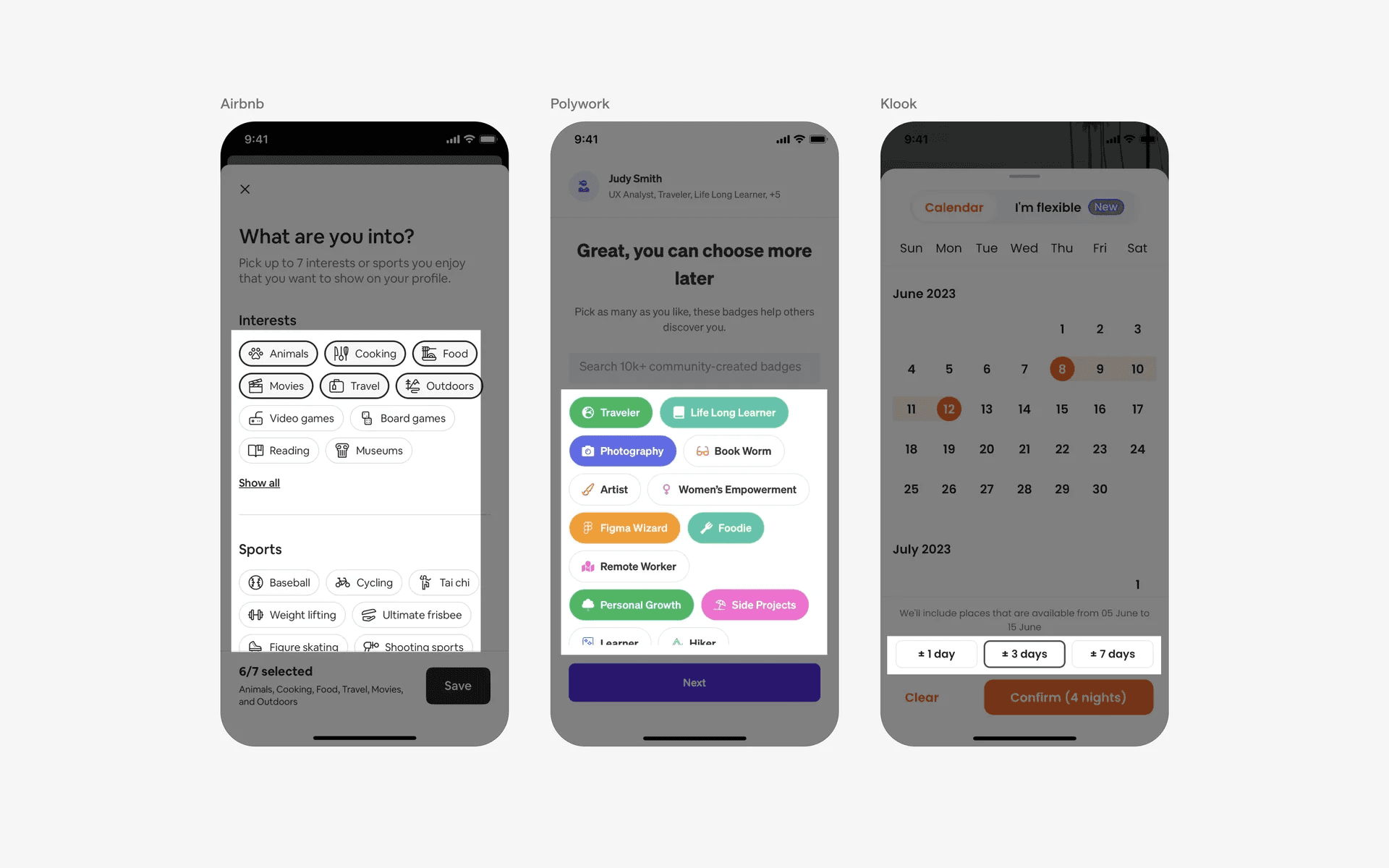
Examples of multi select chips
3. User input chips
Input chips represent discrete pieces of information entered by a user. They enable user input and verify that input by converting text into chips.
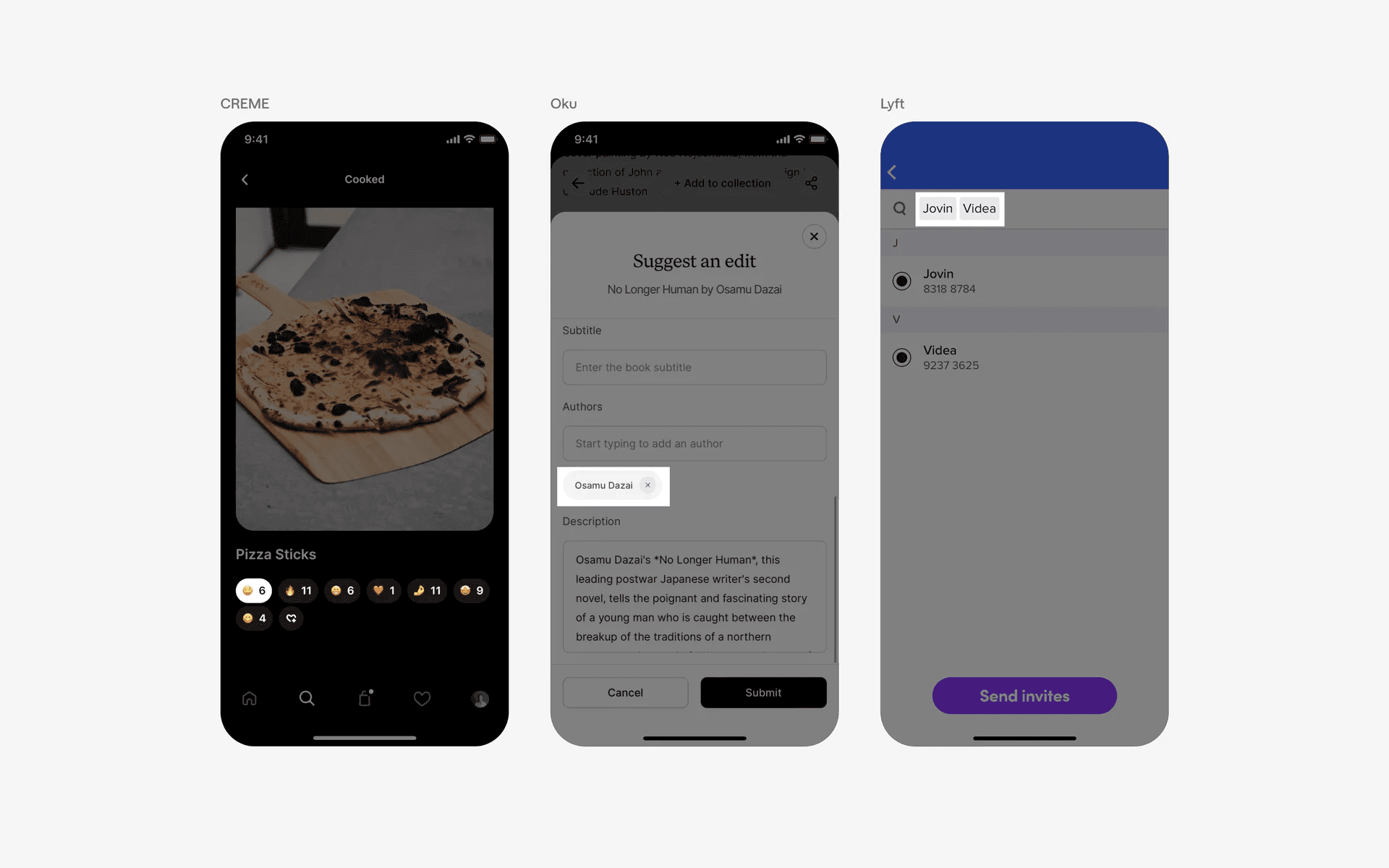
Examples of user input chips
4. Suggestion chips
Suggestion chips help narrow a user’s intent by presenting dynamically generated suggestions, such as possible responses or search filters.
These suggestion chips help to nudge important user actions in a convenient way. For example, nudging users to search more through recommended searches, or, suggesting default amounts of money to transfer.
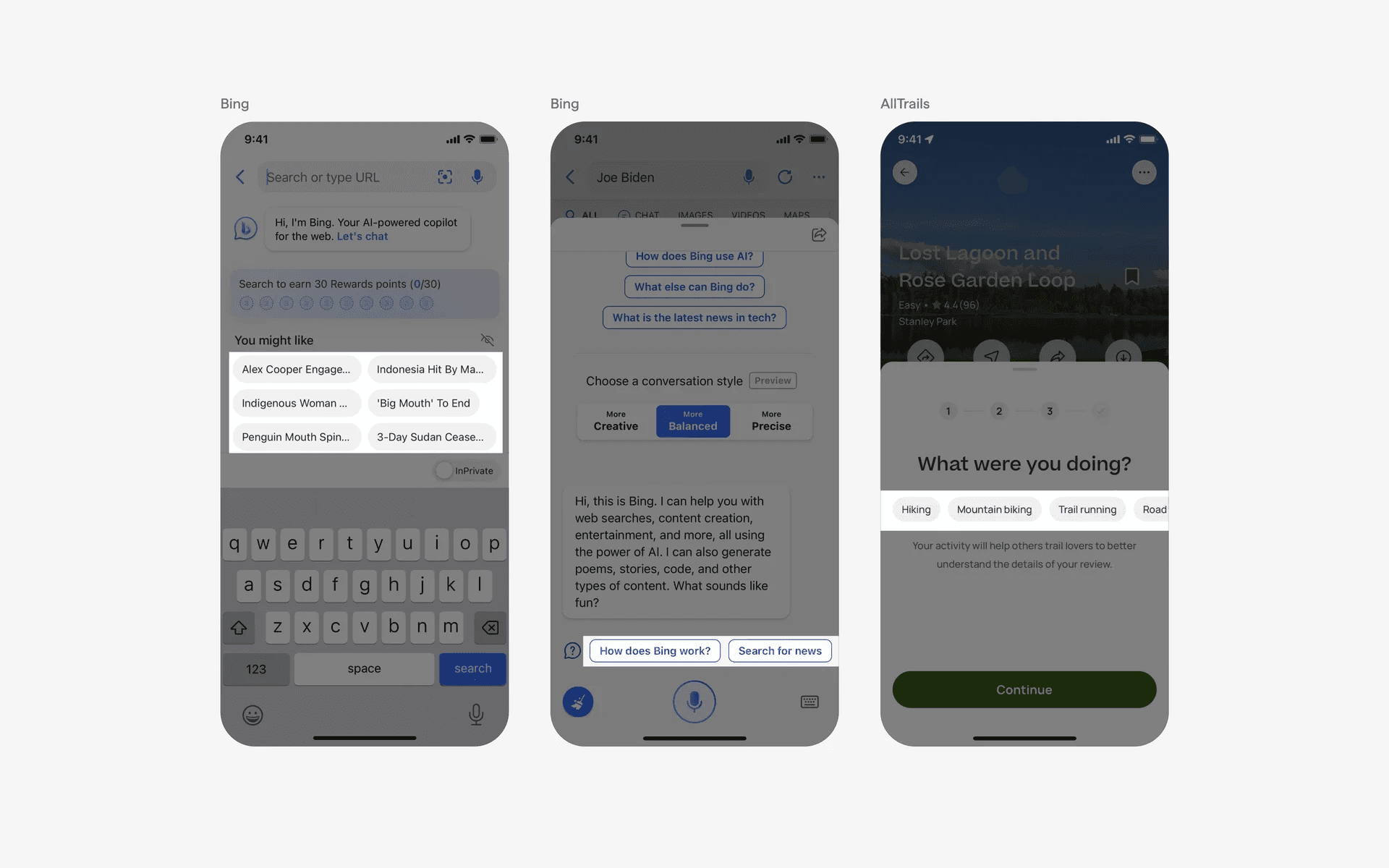
Examples of suggestion chips
5. Information categorization
Chips are used to label, categorize, or organize items using keywords that describe them. This is more commonly known as 'tags', and sometimes, 'hashtags'.
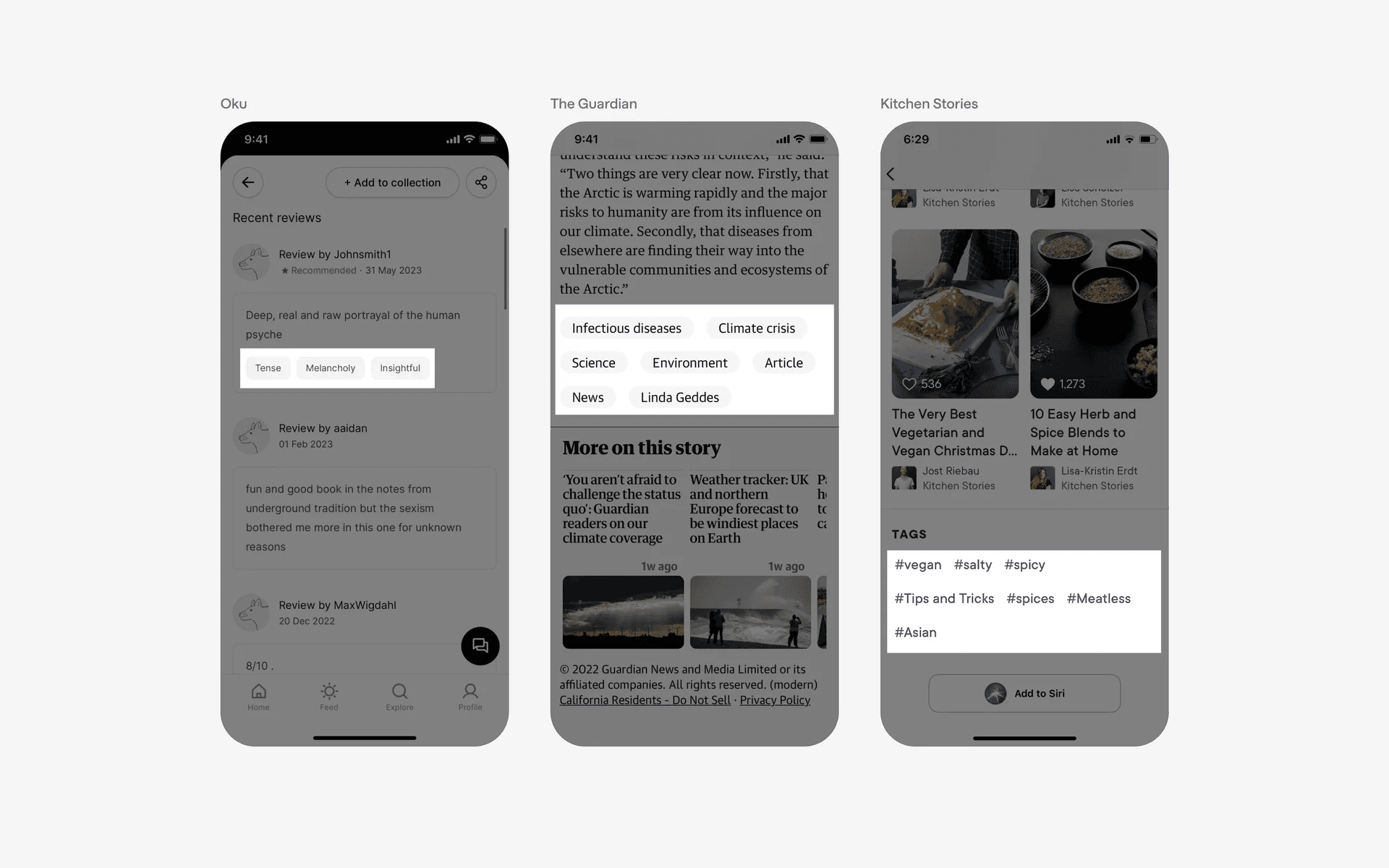
Examples of tags
Conflicting UI elements: Badge, Tab, Button, Map pin
Chip v.s. Badge
A badge is used to display information or indicate a status. Badges can be used to display a count, such as the number of items in a shopping cart, or to indicate a status, such as whether an item is featured or has been marked as important.
On the other hand, chips and interact-able elements that are used to categorise, select, or even filter content.
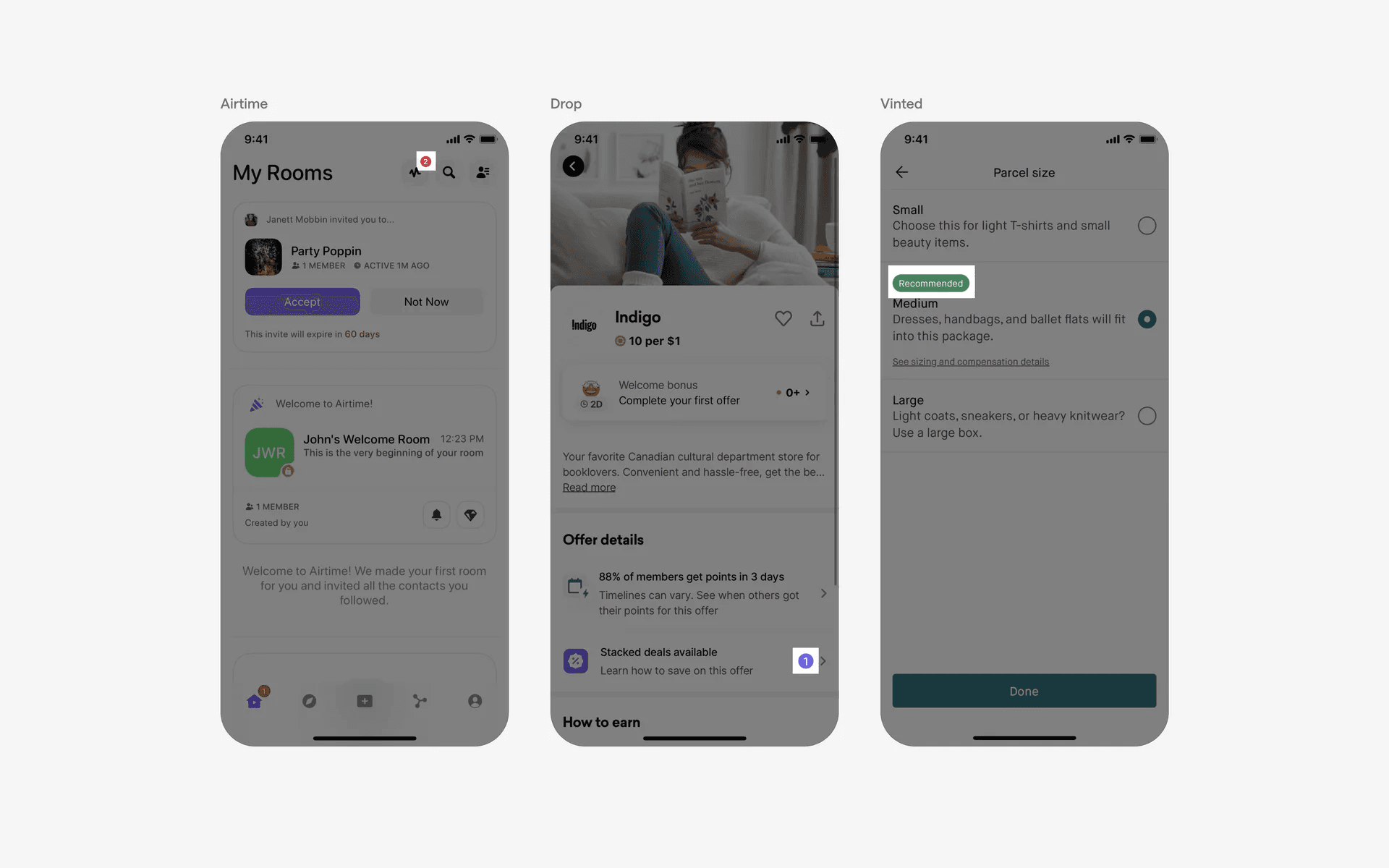
Examples of badges
Chip v.s. Tab
Not all tabs are made up of chip. For circular tabs, if the non-active items do not contain a container, they are not considered chips.
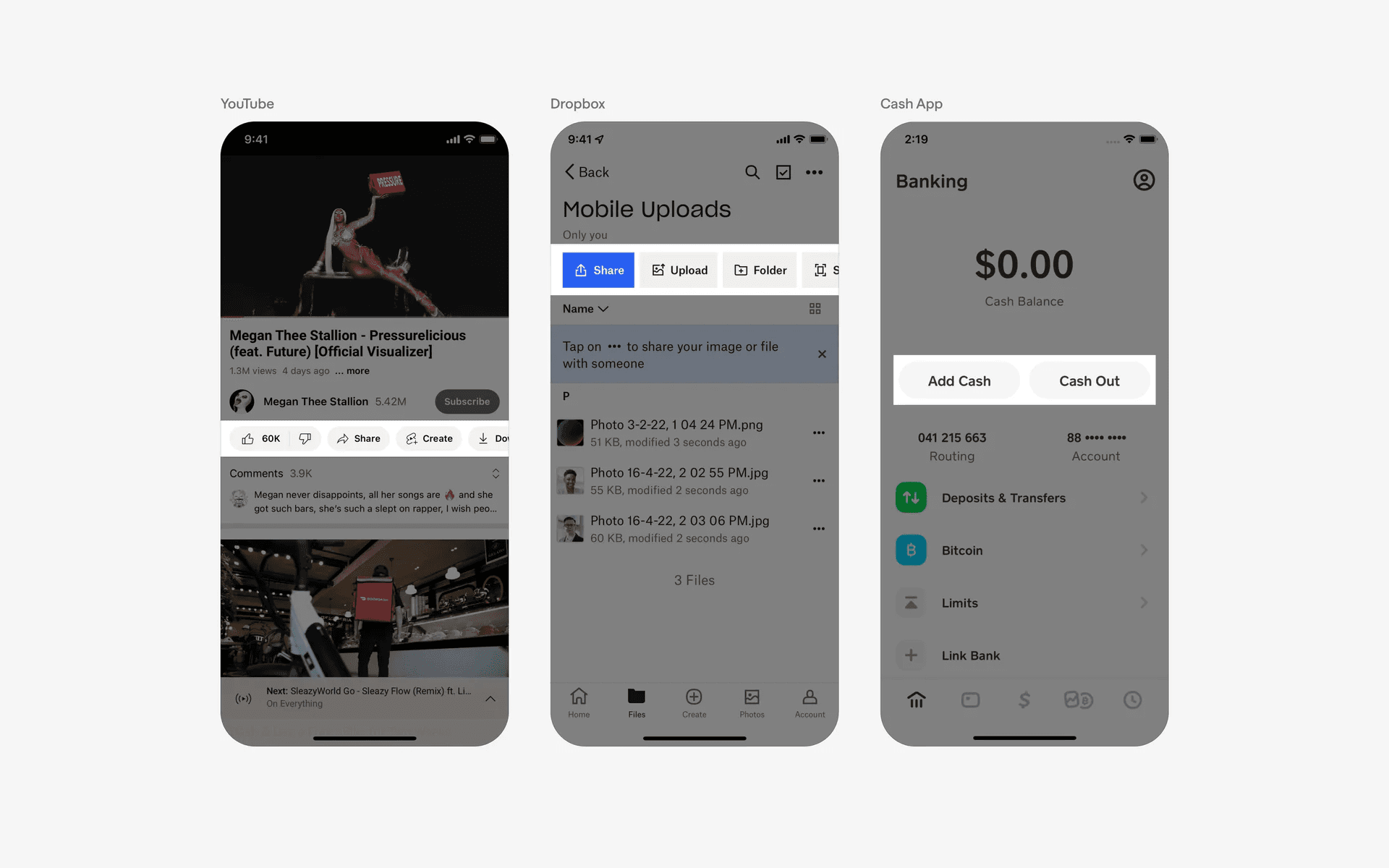
Examples of tabs
Chip v.s. Button
A suggestion tag is an element within a user interface that suggests a particular action or option to the user. It is usually presented as a list of choices that the user can select from. Suggestion tags are typically used to help guide the user to a particular action or decision.
However, a button is specifically for triggering an action or event within the app instead of acting as a quick shortcut to input values.
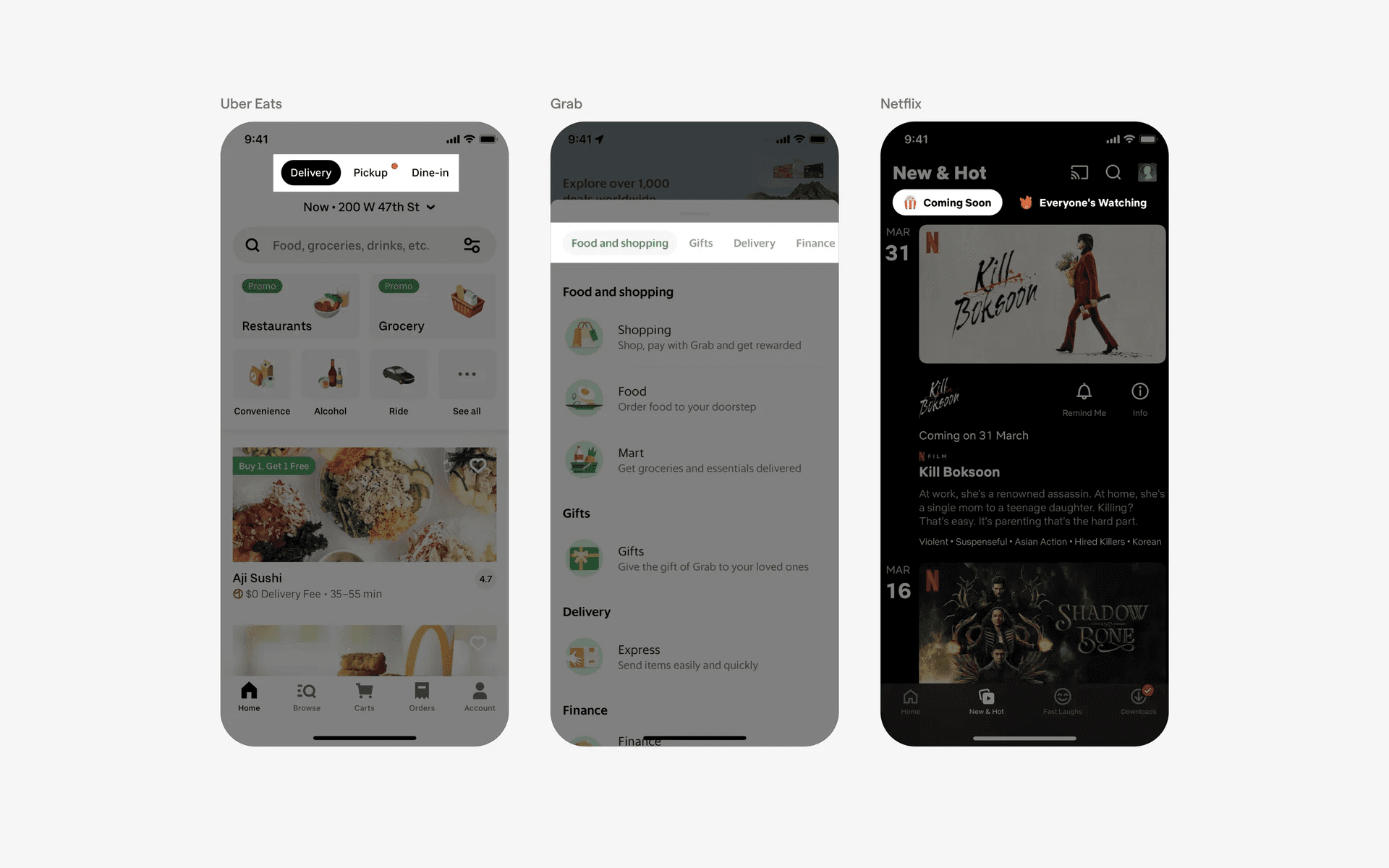
Examples of buttons
Chip v.s. Map Pin
A pill or rectangular tag may look like text-only map pins in appearance but they serve different purposes.
A map pin provides information on a specific location, while a tag represents a piece of content instead of a location.
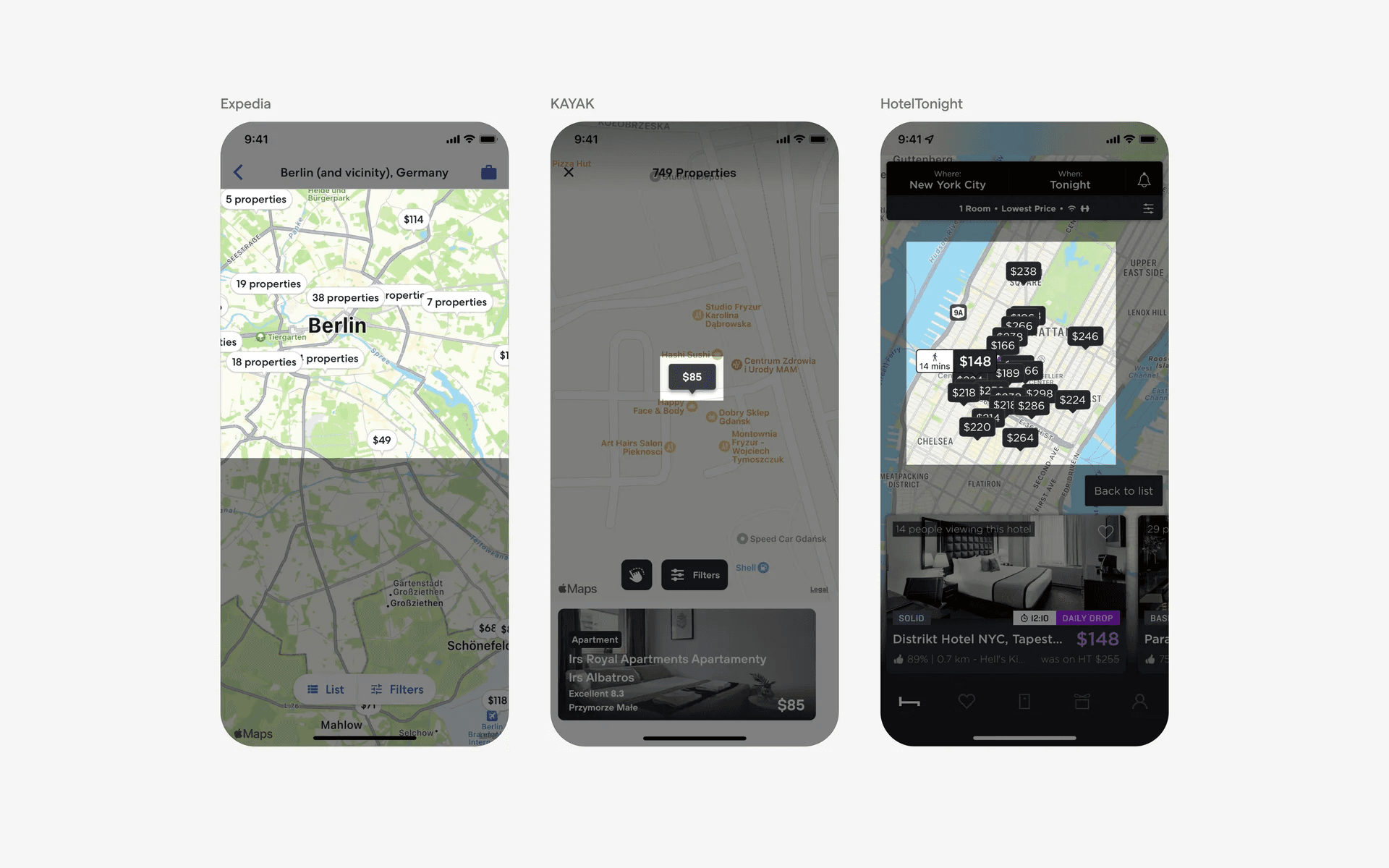
Examples of map pins