Combobox UI

What is a combo box?
Combobox lets users quickly select from predefined options with an autocomplete input to filter options. Think of it as a searchable dropdown with a predefined list of options.
Comboboxes are used when users need to search through a long list of predefined options efficiently.
Editable combo boxes allows users to both choose from a predefined list of options, or to create new data entries where predefined lists may not cover every possibility (i.e: entering tags, cities, names)
We've observed Chips, Tree, and Accordion UI elements used commonly in comboboxes.
A combobox is commonly used in the following design patterns: Form input element, Filtering & sorting, Autocomplete.
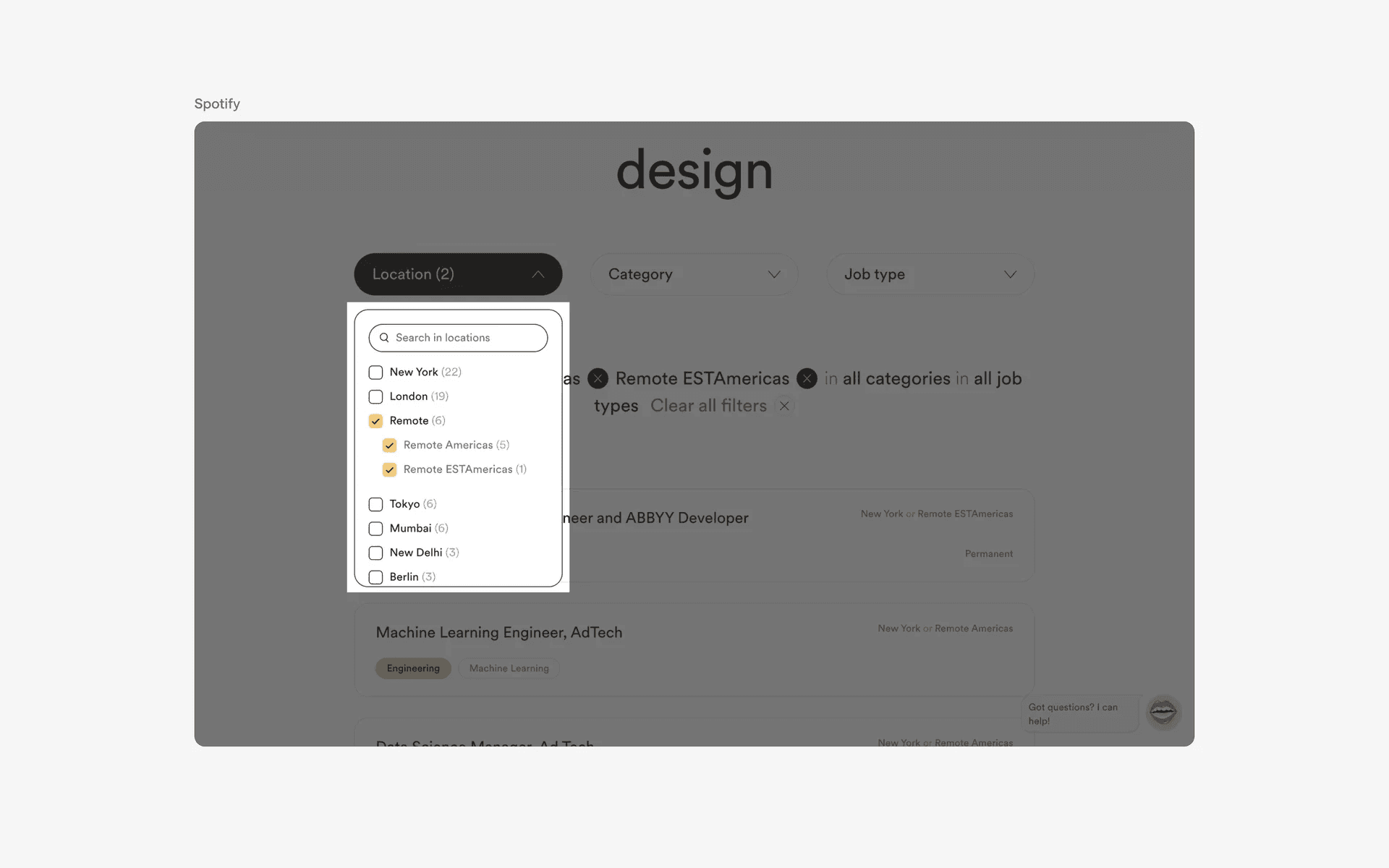
Examples of combo boxes on web design
What is the anatomy of a combo box?
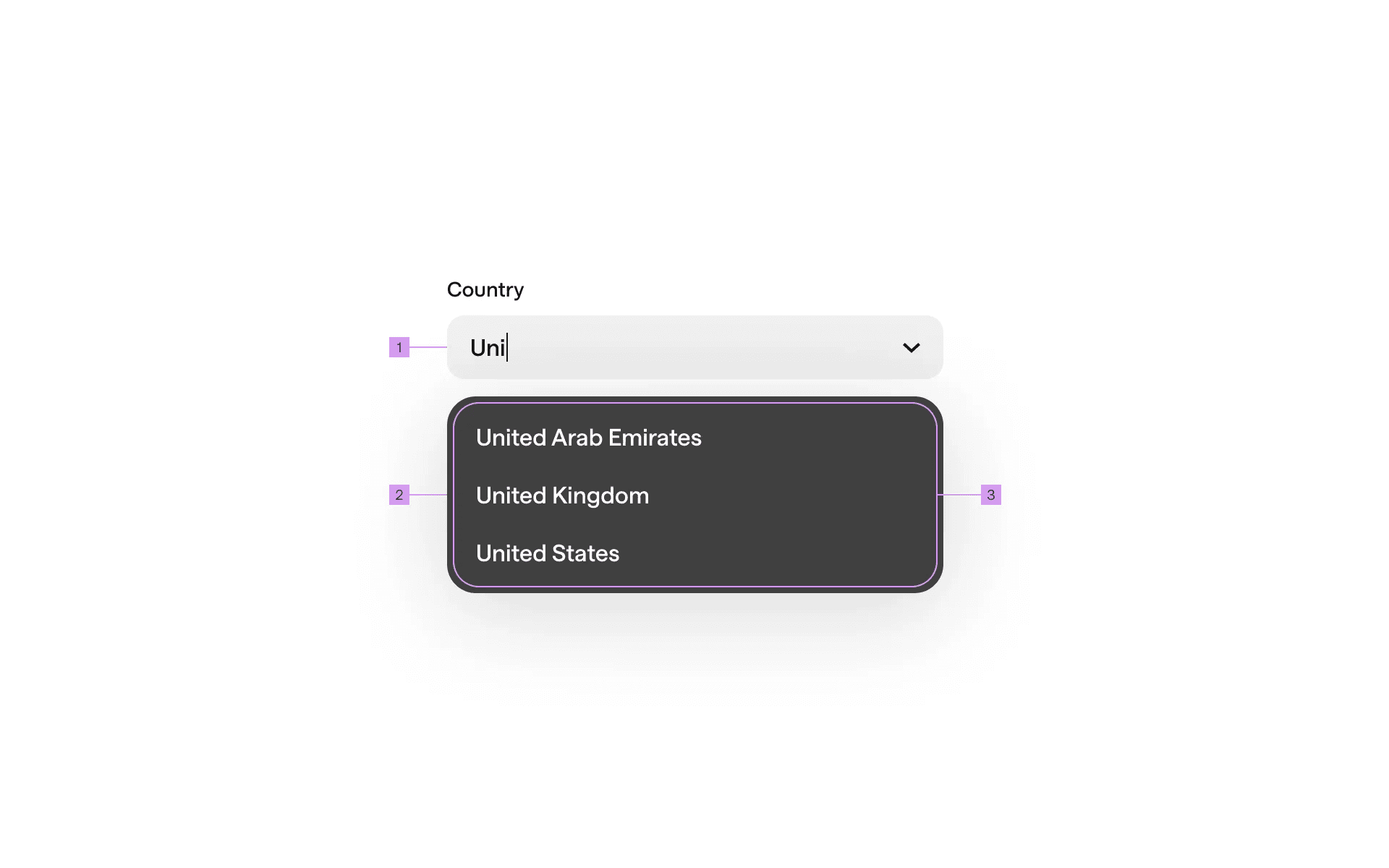
Anatomy of a combo box
1
Select
2
Popover
3
Option Menu
What are the design variants of a combobox?
We studied over 600+ combobox UI components on Mobbin, from real-world examples and found the following variants.
1. Combobox search in text input or list box
There are two main design variance when it comes to searching in comboboxes - Text input search & List box search.
Text input search allows users to filter results dynamically as the user types.
This is usually accompanied by a autocomplete drop down list.
Comboboxes sometimes also allow users to input values that are not listed.
This design works well for very large data sets.

Examples of text input search on combo boxes
List box search allows users to filter results limited to predefined options only.
List box search usually limits user inputs to whatever is available on the list, and does not allow users to input non-listed values.
This design works better when browsing a small, finite list.
We use a list box search design in Mobbin's filters, specifically when users filter for screen patterns or UI elements.
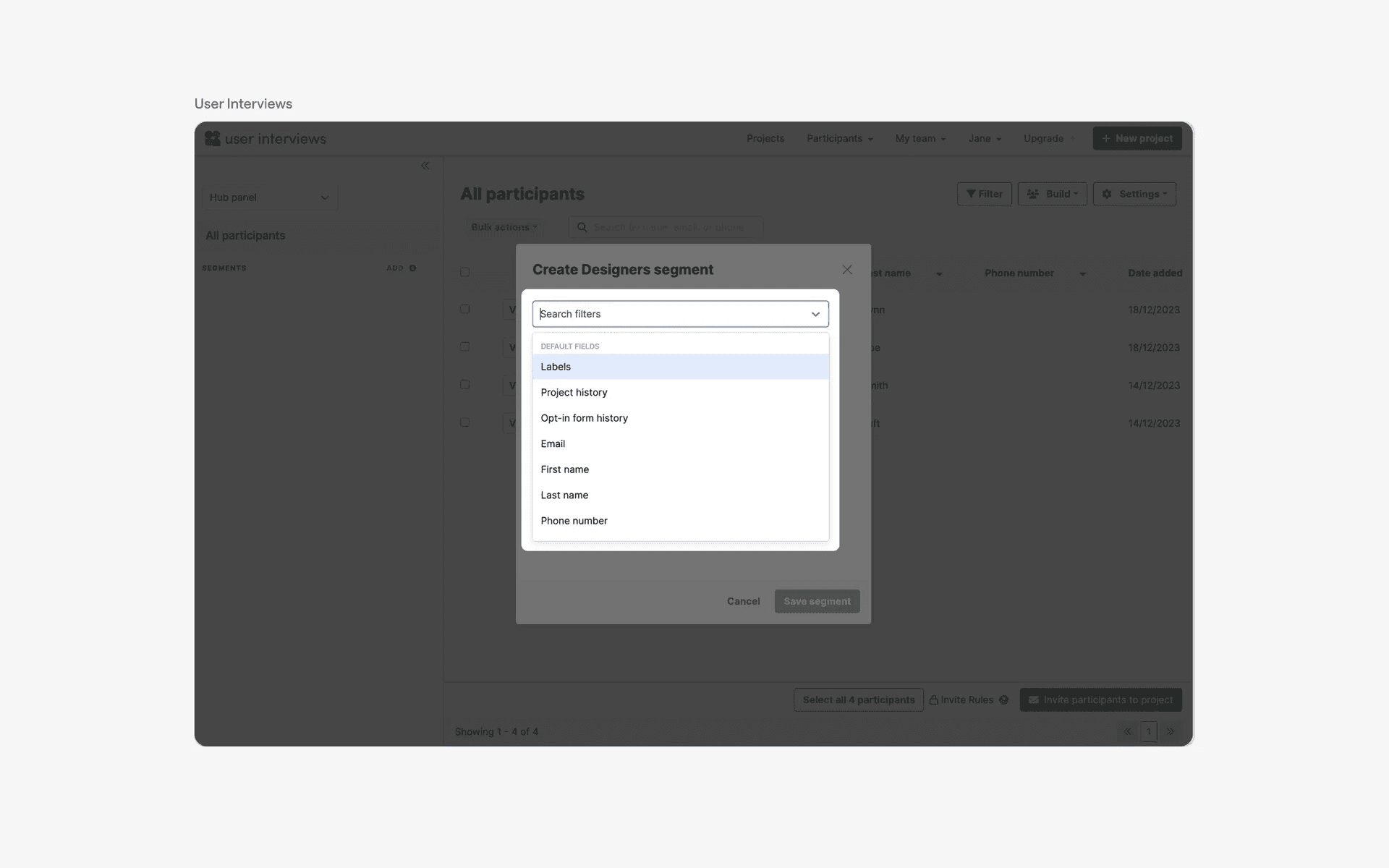
Examples of list box search on combo boxes
2. Chips in combobox design
Combobox and Chips make a good combination when used together for several reasons.
Users can select multiple items that can be represented as a chip, which provides a clear visual summary of their choices.
Chips allows easy removal of selections with a simple tap or click, reducing the need for a complex unselection process
Chips offer instant visual confirmation for users, which makes it very intuitive.
The combination of combobox and chips makes it ideal for scenarios like tag selection, content filtering, and picking multiple options in a clean and intuitive way.
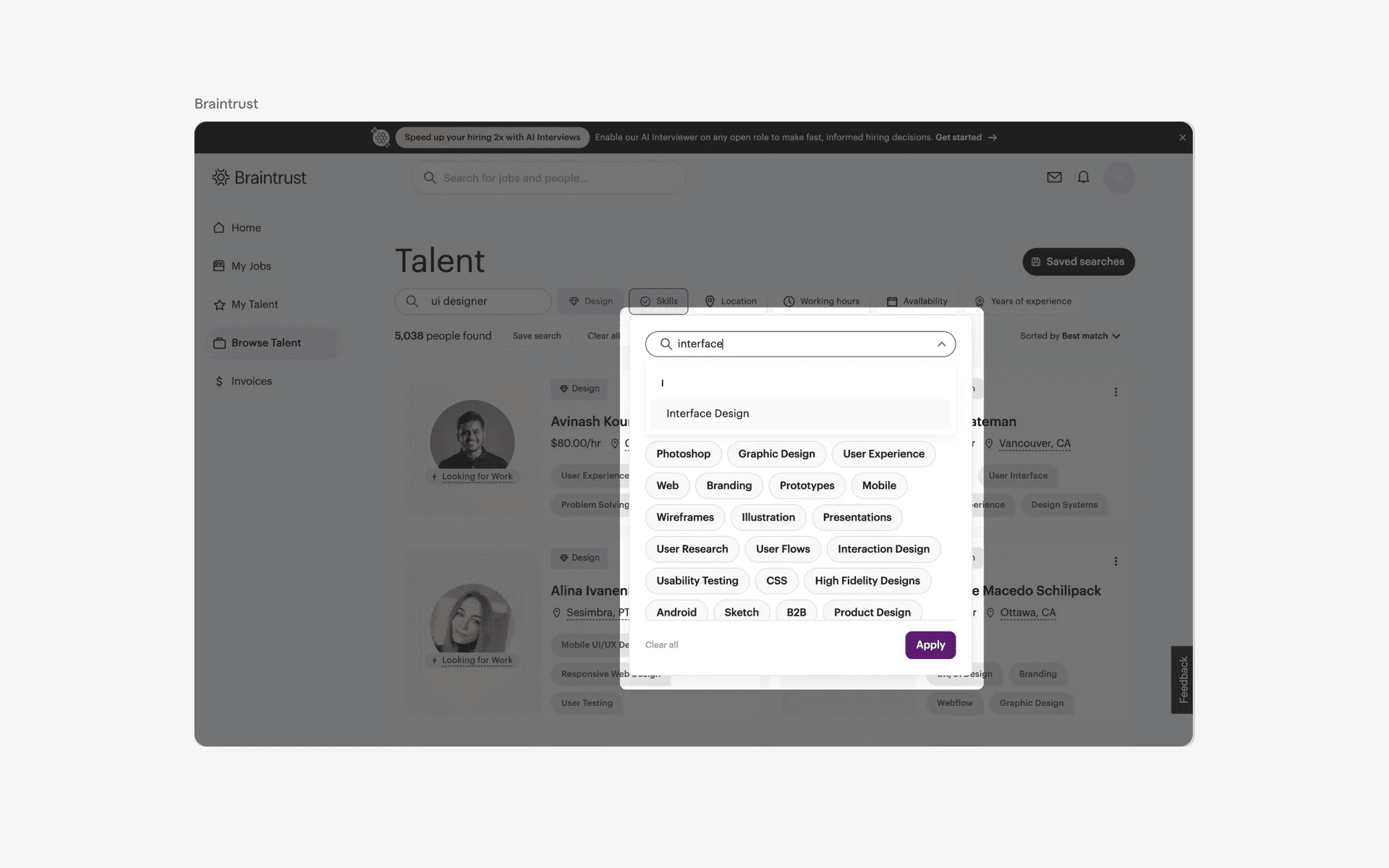
Examples of combo boxes used in combination with chips
3. Accordions or trees are sometimes used in combobox design
If there is hierarchy in your dataset, consider using an Accordion or Tree within your combobox element.
When used correctly, this helps users have a better sense of parent-child relationships - they can also easily collapse and expand elements to get what they need.

Examples of accordions or trees in combo boxes design
4. Uneven input and list box width
While it is common for input and list box size to be similar in width, we've also noticed design variants where the list box width is smaller compared to the text input width.
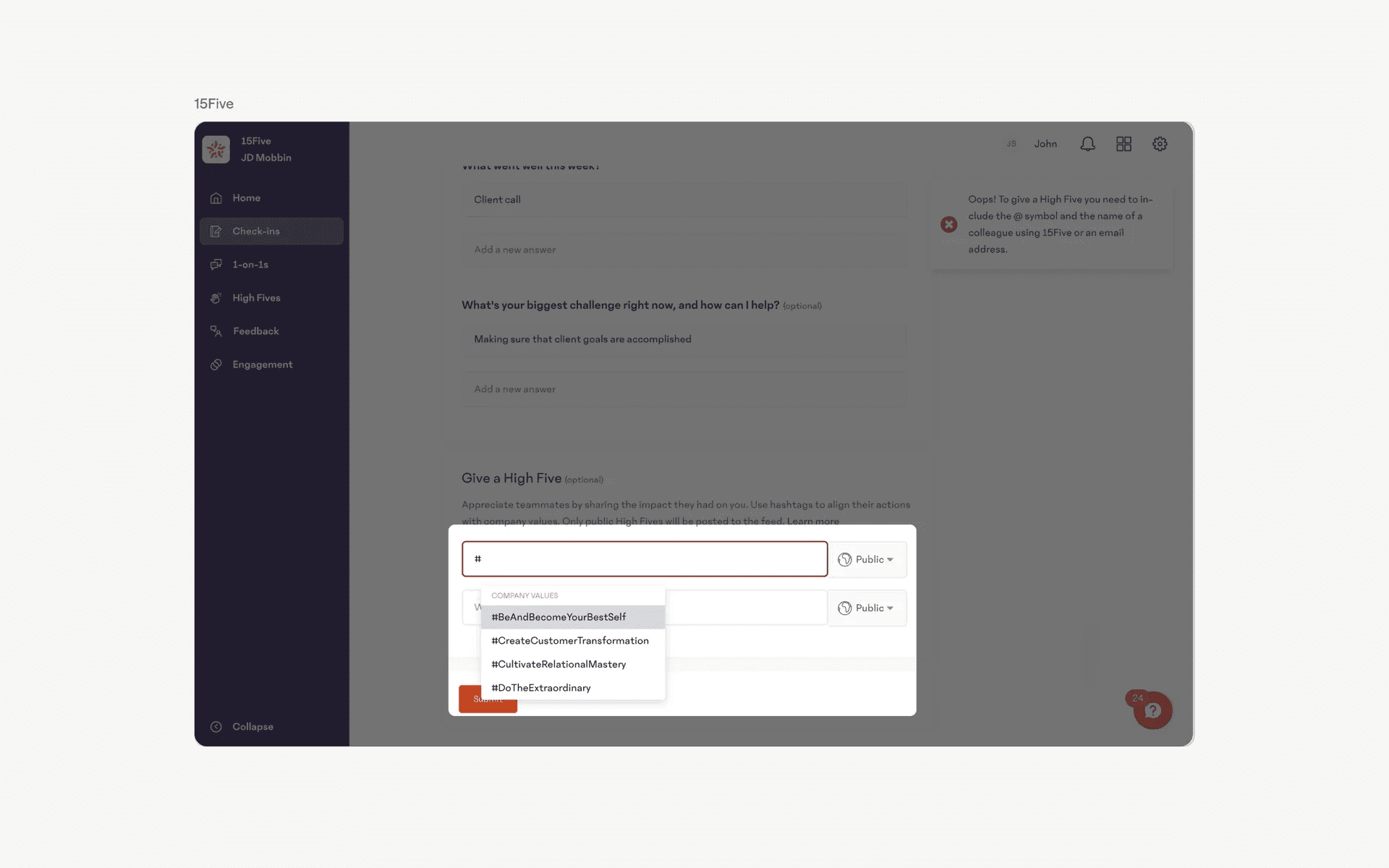
Examples of uneven input and list box width in combo boxes
When to use a combobox?
1. Form input
Comboboxes are commonly used in web forms to allow users to select from a list of predefined options or choices.
This can be for selecting a country, language, or product category, among others.
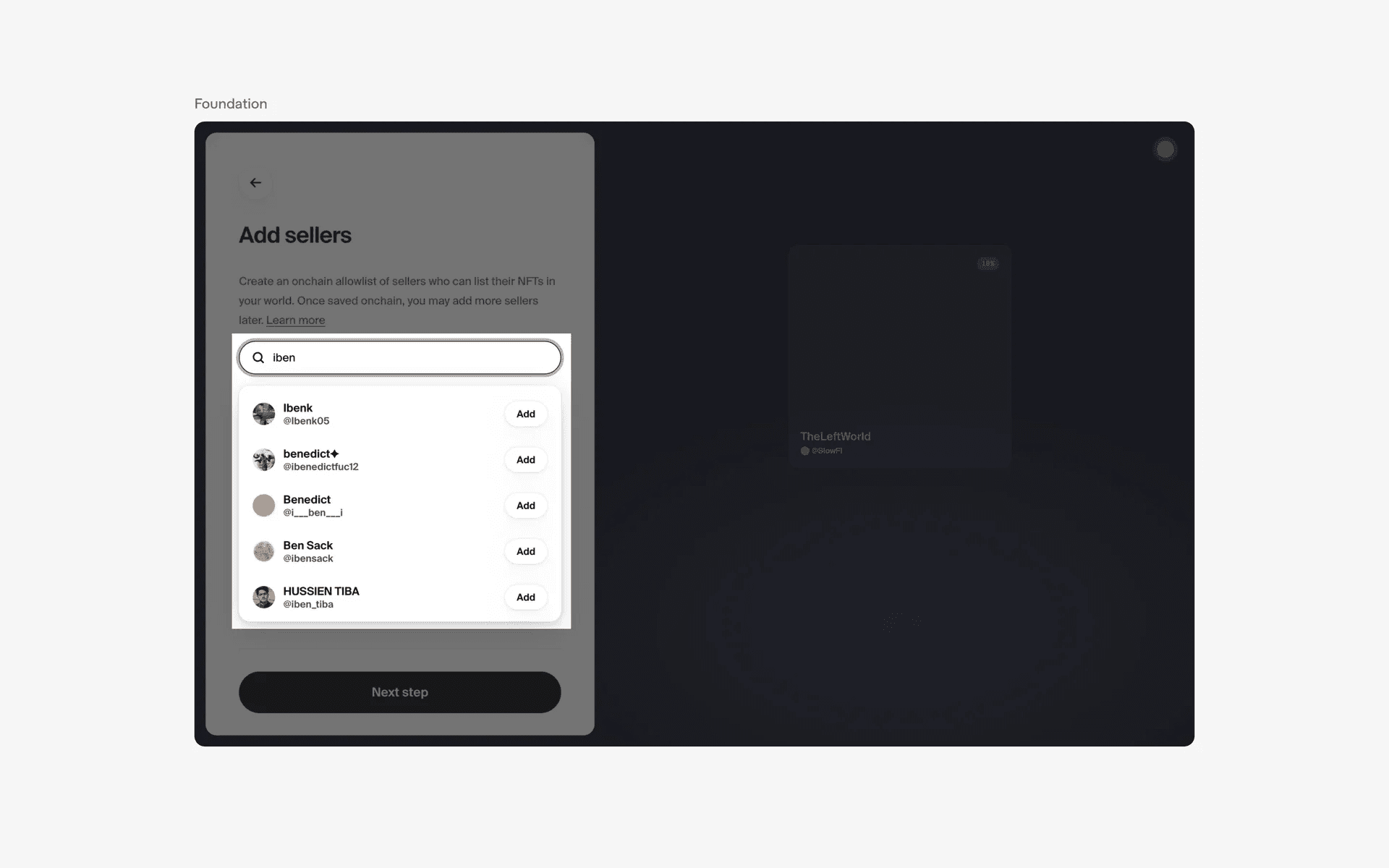
Examples of combo boxes used in form inputs
2. Filtering & sorting
In e-commerce or search websites, comboboxes can be used to filter or sort products or search results based on specific criteria such as price range, size, or color.

Examples of combo box used in filtering & sorting
3. Autocomplete behavior
Some comboboxes have autocomplete behavior, where the user can type in a few characters and the combobox will recommend a list of suggested values based on their input.
This can be useful for quick and efficient data entry.
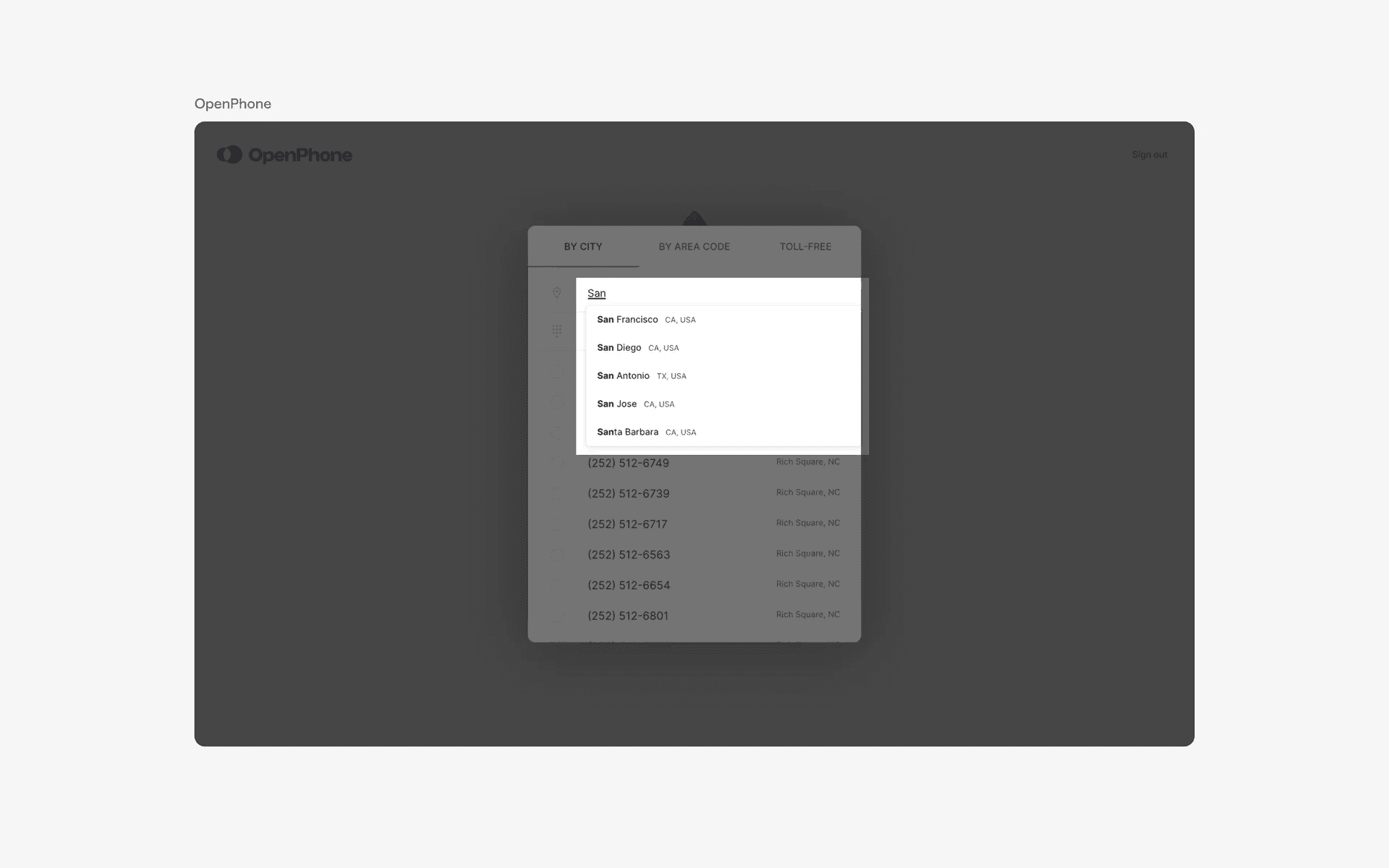
Examples of combo box with autocomplete behavior
Conflicting UI elements: Select, Search bar
Combobox v.s. Select
Combobox is always a combination of at least 2 actions (e.g search and select or checkbox and text input).
Select however, is only 1 action - choosing from a list of predefined options.
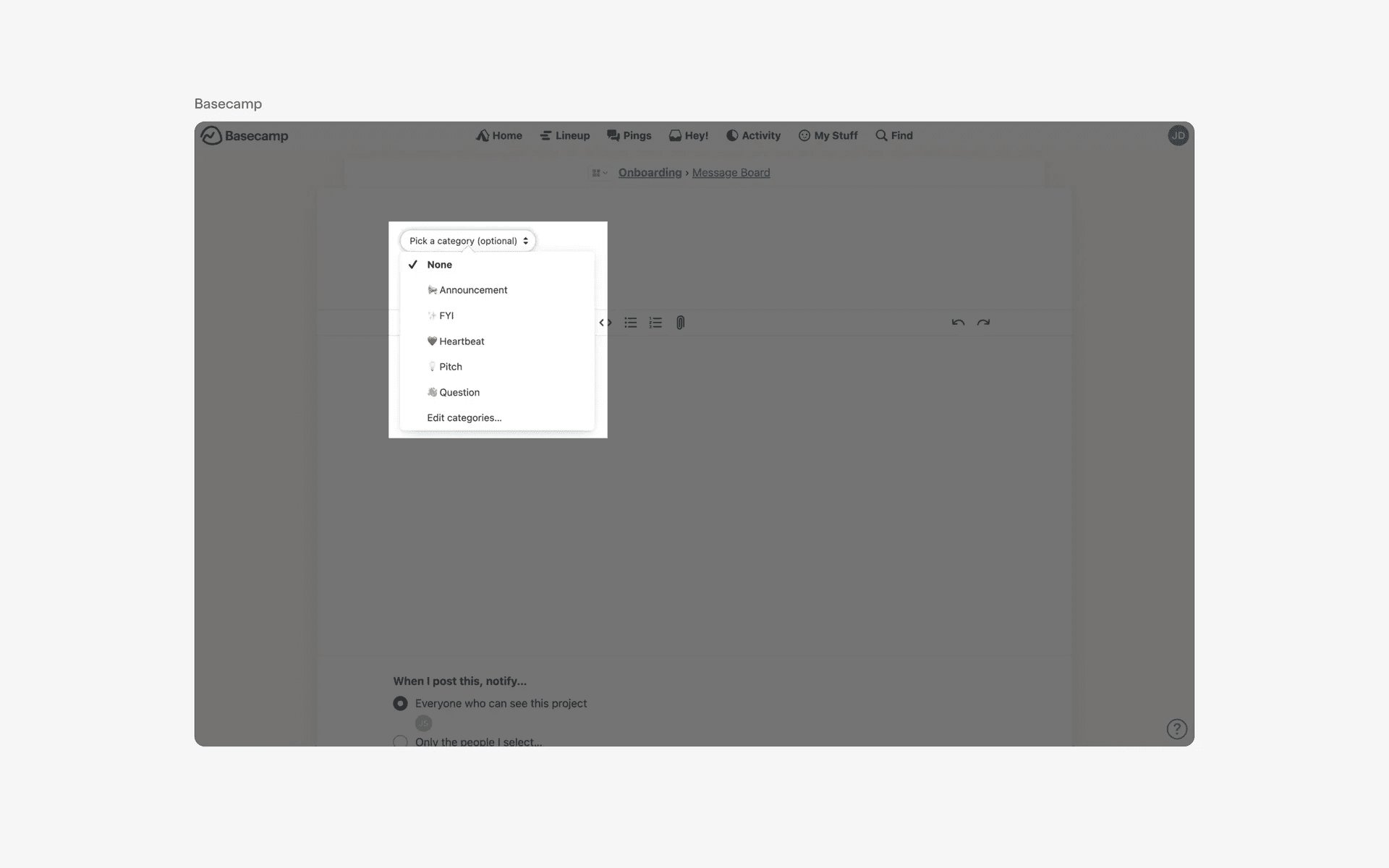
Examples of Select element
Combobox v.s. Search bar
A searchbar may give suggestions as a user types.
However, in terms of primary purpose, a searchbar is used to allow the user to search for specific content within a larger set of data.

Examples of search bar