Teal Green

Meet Teal Green, #006D5B, a color that commands attention with its profound depth and sophisticated character. Its unique position between a classic forest green and a cool blue gives it a distinct, professional quality that stands out in any palette.

What color is Teal Green?

Teal Green (#006D5B) is a deep, cool-toned color that sits squarely between blue and green, but with a pronounced green character. It has subtle blue undertones that give it a sophisticated depth, reminiscent of deep ocean waters or dense forests.This specific shade is moderately saturated, avoiding the starkness of a pure green while maintaining a rich, substantial presence. Its coolness makes it feel calm and stable, yet its vibrancy keeps it from being muted or dull.

What is the meaning of Teal Green?

Teal Green, with its hex code #006D5B, represents tranquility and renewal. It combines the calming properties of blue with the optimistic qualities of green, often evoking feelings of mental clarity and emotional healing.Symbolically, this color suggests open communication and spiritual grounding. It rose to prominence in the early 20th century and has since been associated with sophistication and thoughtful introspection.

How do I use Teal Green (#006D5B) in UI design?

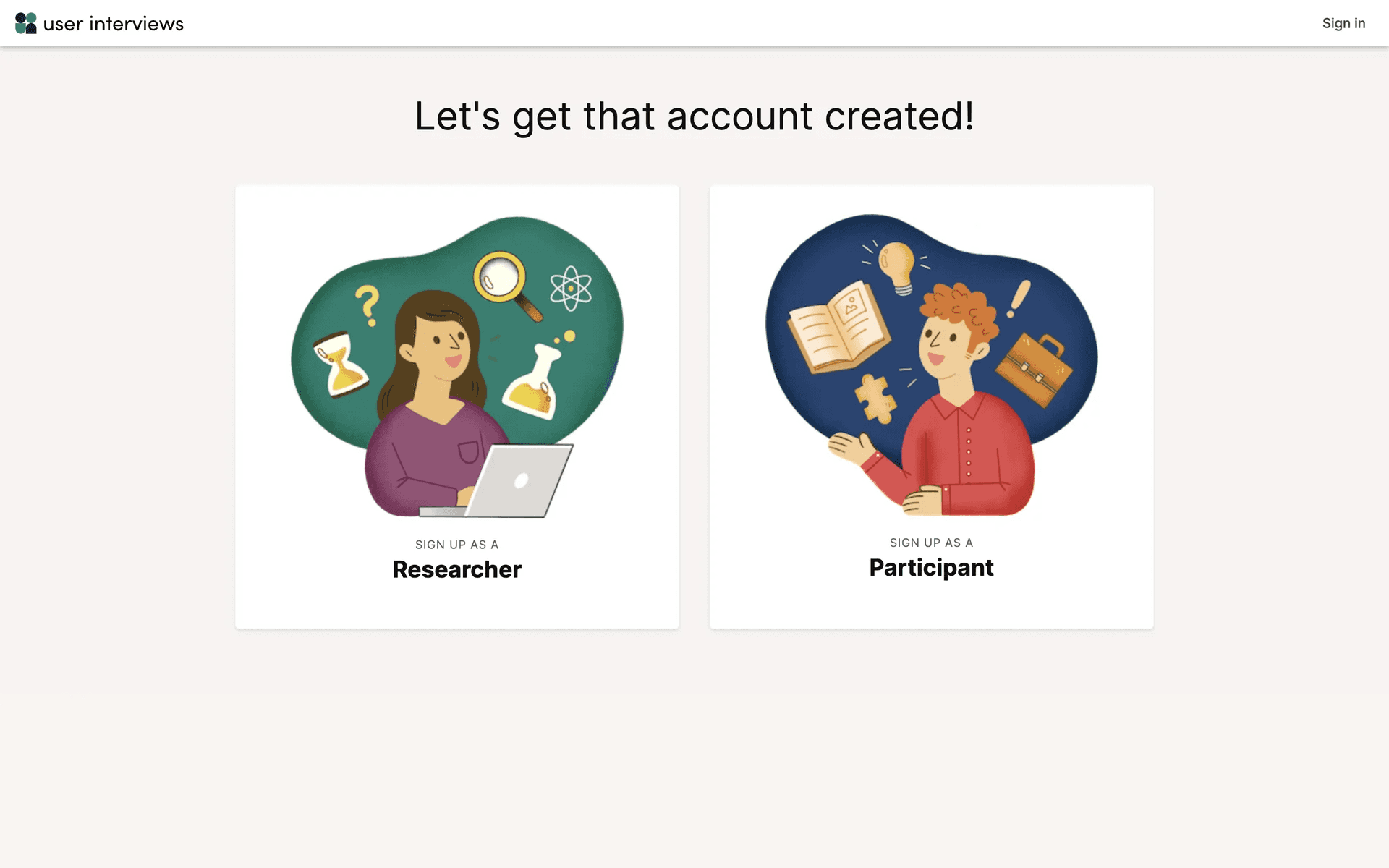
When working with Teal Green in UI design, consider its versatility. The rich saturation of #006D5B makes it an excellent choice for primary actions, such as buttons and interactive elements, where it commands attention without being jarring. For color pairings, create a dynamic interface by contrasting it with warm tones like coral or terracotta. Alternatively, for a more harmonious and professional palette, pair Teal Green with neutrals like off-white, charcoal, or light grays.While not as widespread as classic blues or grays, Teal Green is a distinctive choice seen in the branding of companies like Whereby, Gametime, Workable, and User Interviews. Its adoption by these brands shows its potential to create a memorable and professional identity, offering a way to stand out in a crowded market.To see how #006D5B performs in practice, use the tools below. You can explore curated palettes, check color contrast ratios for accessibility compliance, and preview Teal Green applied to real UI components from well-known apps.

Using Teal Green color codes

Applying Teal Green (#006D5B) consistently across your projects begins with selecting the correct color code for your medium. While the hex code is standard for web development, you will need different formats for other design applications to maintain color fidelity.Each color model serves a specific purpose. RGB (Red, Green, Blue) is the standard for digital screens, defining color through light. For physical media, CMYK (Cyan, Magenta, Yellow, Key/Black) is used in the printing process. Other models like HSL, LAB, and LCH offer more intuitive ways for designers to manipulate color based on hue, saturation, lightness, and other perceptual values.We have converted #006D5B to a range of popular formats below. Simply find the one you need and copy it for your project.

Teal Green

#006D5B

Access our full UI & UX library today.

What color is Teal Green?

Teal Green (#006D5B) is a deep, cool-toned color that sits squarely between blue and green, but with a pronounced green character. It has subtle blue undertones that give it a sophisticated depth, reminiscent of deep ocean waters or dense forests.This specific shade is moderately saturated, avoiding the starkness of a pure green while maintaining a rich, substantial presence. Its coolness makes it feel calm and stable, yet its vibrancy keeps it from being muted or dull.

What is the meaning of Teal Green?

Teal Green, with its hex code #006D5B, represents tranquility and renewal. It combines the calming properties of blue with the optimistic qualities of green, often evoking feelings of mental clarity and emotional healing.Symbolically, this color suggests open communication and spiritual grounding. It rose to prominence in the early 20th century and has since been associated with sophistication and thoughtful introspection.

How do I use Teal Green (#006D5B) in UI design?

When working with Teal Green in UI design, consider its versatility. The rich saturation of #006D5B makes it an excellent choice for primary actions, such as buttons and interactive elements, where it commands attention without being jarring. For color pairings, create a dynamic interface by contrasting it with warm tones like coral or terracotta. Alternatively, for a more harmonious and professional palette, pair Teal Green with neutrals like off-white, charcoal, or light grays.While not as widespread as classic blues or grays, Teal Green is a distinctive choice seen in the branding of companies like Whereby, Gametime, Workable, and User Interviews. Its adoption by these brands shows its potential to create a memorable and professional identity, offering a way to stand out in a crowded market.To see how #006D5B performs in practice, use the tools below. You can explore curated palettes, check color contrast ratios for accessibility compliance, and preview Teal Green applied to real UI components from well-known apps.

Using Teal Green color codes

Applying Teal Green (#006D5B) consistently across your projects begins with selecting the correct color code for your medium. While the hex code is standard for web development, you will need different formats for other design applications to maintain color fidelity.Each color model serves a specific purpose. RGB (Red, Green, Blue) is the standard for digital screens, defining color through light. For physical media, CMYK (Cyan, Magenta, Yellow, Key/Black) is used in the printing process. Other models like HSL, LAB, and LCH offer more intuitive ways for designers to manipulate color based on hue, saturation, lightness, and other perceptual values.We have converted #006D5B to a range of popular formats below. Simply find the one you need and copy it for your project.

Teal Green Code Conversions

HEX

#006D5B

LAB

41, -31, 3

RGB

0, 109, 91

XYZ

7.4, 11.7, 11.8

HSL

170°, 100%, 21%

LCH

41, 32, 175°

HSB

170°, 100%, 43%

LUV

41, -33, 8

CMYK

100, 0, 17, 57

CMYK

100, 0, 17, 57

HWB

170°, 0%, 57%

Teal Green Color Harmonies

Analogous

Analogous colors sit beside Teal Green on the color wheel. This proximity results in a cohesive and serene palette for your designs.

#006D25

#006D5B

#00486D

#006D25

#006D5B

#00486D

Complementary

Complementary colors sit directly opposite each other on the color wheel, creating a high-contrast, vibrant effect when paired with Teal Green.

#006D5B

#6D0012

#006D5B

#6D0012

Split Complementary

A twist on the classic complementary scheme, split complementary pairs Teal Green with the two colors adjacent to its direct opposite on the wheel.

#006D5B

#6D0048

#6D2500

#006D5B

#6D0048

#6D2500

Triadic

Triadic color schemes use three hues equally spaced on the color wheel. For Teal Green, this creates a vibrant, high-contrast, and balanced palette.

#006D5B

#5B006D

#6D5B00

#006D5B

#5B006D

#6D5B00

Tetradic

A tetradic color scheme for Teal Green uses two pairs of complementary colors, forming a rich, four-color palette with built-in contrast.

#006D5B

#25006D

#6D0012

#486D00

#006D5B

#25006D

#6D0012

#486D00

Square

A square color scheme uses four colors equidistant on the color wheel, creating a vibrant, high-contrast palette with Teal Green as a base.

#006D5B

#25006D

#6D0012

#486D00

#006D5B

#25006D

#6D0012

#486D00

Teal Green Contrast Simulation

Text Color

#

Background Color

#

6.29

Good

Small Text
Pass
Large Text
Pass
Graphic Components
Pass

Your Catchy Large Text Goes Here

A high contrast makes anything easier to read, especially small text.

Text Color

#

Background Color

#

Your Catchy Large Text Goes Here

A high contrast makes anything easier to read, especially small text.

6.29

Good

Small Text
Pass
Large Text
Pass
Graphic Components
Pass

Teal Green Color Variations

Shades

Shades of Teal Green are created by adding black, giving the color more depth and weight.

#006D5B

#005D4E

#004E41

#003E34

#002F27

#001F1A

#00100D

#000000

#006D5B

#005D4E

#004E41

#003E34

#002F27

#001F1A

#00100D

#000000

Tints

Tints are lighter versions of Teal Green, created by adding white for a softer feel.

#006D5B

#248272

#49978A

#6DACA1

#92C0B9

#B6D5D0

#DBEAE8

#FFFFFF

#006D5B

#248272

#49978A

#6DACA1

#92C0B9

#B6D5D0

#DBEAE8

#FFFFFF

Tones

Tones of Teal Green are created by adding gray, resulting in softer, more subdued versions.

#006D5B

#127060

#257266

#37756B

#497870

#5B7B75

#6E7D7B

#808080

#006D5B

#127060

#257266

#37756B

#497870

#5B7B75

#6E7D7B

#808080

Hues

Hues are variations of Teal Green, differing in intensity or temperature to shape design moods.

#006D5B

#002D6D

#25006D

#6D0064

#6D0012

#6D4000

#486D00

#006D09

#006D5B

#002D6D

#25006D

#6D0064

#6D0012

#6D4000

#486D00

#006D09

What Interfaces Use Colors Like Teal Green?
Never run out of
inspiration again.

Use Mobbin for free as long as you like or get full access
with any of our paid plans.

  • Coinbase

  • Wise

  • Headspace

  • Airbnb

  • Uber

  • Nike

  • Pinterest

  • ChatGPT

  • Shopify

  • Loom

  • Creme

  • Mailchimp

  • Twitch

  • Spotify

  • Apple TV

  • Shop

  • Cosmos

  • Retro

  • Notion

  • Dropbox

Never run out of
inspiration again.

Use Mobbin for free as long as you like or get full access with any of our paid plans.

  • Coinbase

  • Wise

  • Headspace

  • Airbnb

  • Uber

  • Nike

  • Pinterest

  • ChatGPT

  • Shopify

  • Loom

  • Creme

  • Mailchimp

  • Twitch

  • Spotify

  • Apple TV

  • Shop

  • Cosmos

  • Retro

  • Notion

  • Dropbox

© Mobbin 2018-2026
© Mobbin 2018-2026
© Mobbin 2018-2026
© Mobbin 2018-2026
© Mobbin 2018-2026
© Mobbin 2018-2026