Rivers Edge

Rivers Edge (#DBCEBD) is a muted, warm neutral with a quiet presence. This color stands out for its soft complexity, a subtle mix of beige and gray that gives it a refined and adaptable quality for any design palette.

What color is Rivers Edge?

Rivers Edge is a warm, earthy neutral that sits between a soft tan and a light greige, carrying a gentle, sun-kissed quality.Its complexity comes from delicate yellow and faint rosy undertones, giving it a sophisticated appearance that avoids feeling flat or stark.

What is the meaning of Rivers Edge?

Rivers Edge (#DBCEBD) evokes a sense of calm and stability, drawing its meaning from the quiet strength of nature. It symbolizes a grounded, reliable foundation, much like the serene banks of a slow-moving river.Psychologically, this sophisticated neutral brings a feeling of balance and timeless elegance. It offers a comforting tranquility, creating a space that feels both classic and composed.

How do I use Rivers Edge (#DBCEBD) in UI design?

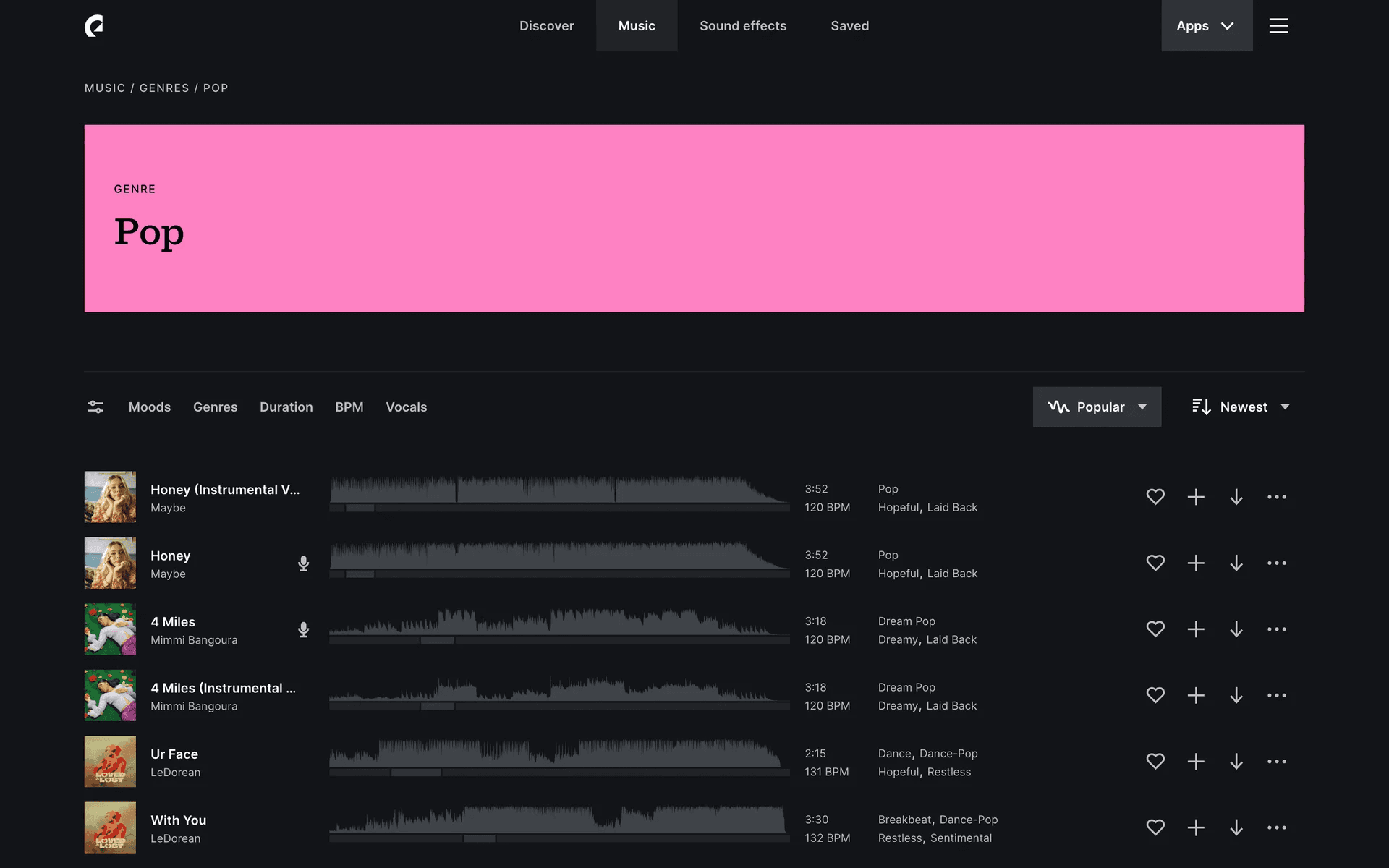
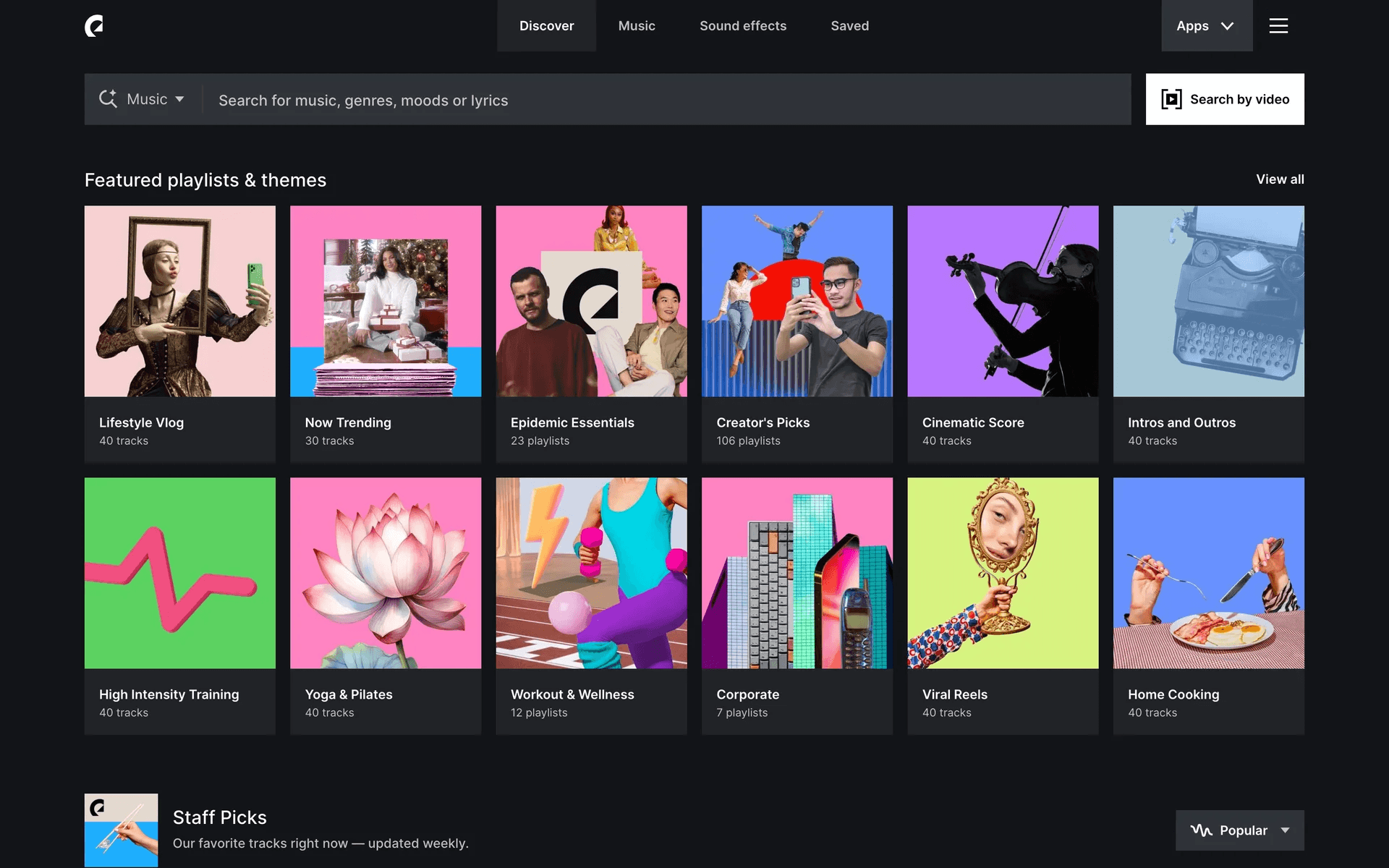
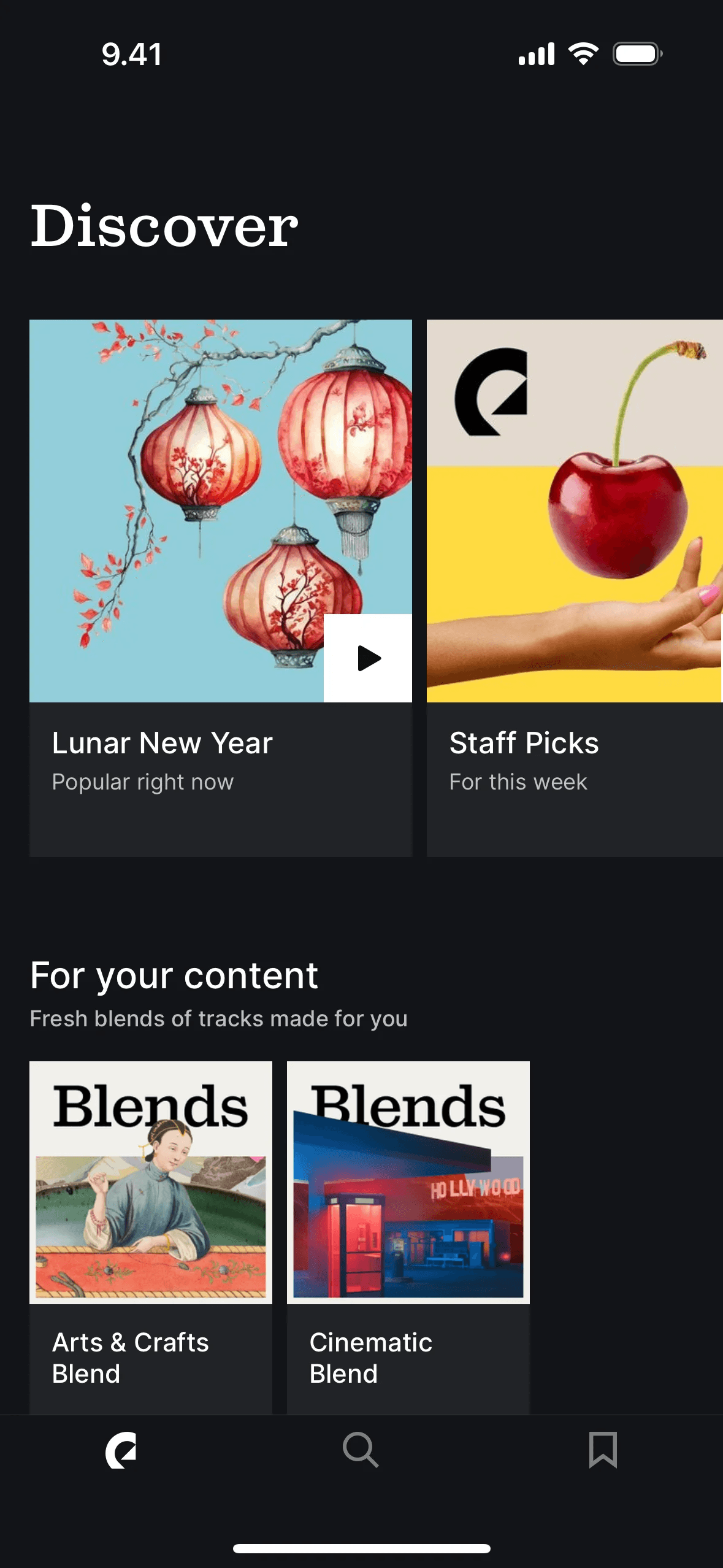
Rivers Edge works beautifully as a primary background color, offering a warm, organic alternative to stark white or cool gray. For accessibility, pair its #DBCEBD value with dark, legible text. It harmonizes well with deep forest greens, muted blues, and earthy terracottas, creating a grounded and sophisticated palette.While not a dominant color in the tech world, brands like Epidemic Sound have built a distinct identity around similar warm neutrals. This relative rarity presents an opportunity; using Rivers Edge can help a product stand out with a unique, approachable, and refined aesthetic.Use the tools below to explore curated palettes, test color contrast for accessibility, and preview Rivers Edge in real UI components from top brands.

Using Rivers Edge color codes

Working with Rivers Edge in your design projects starts with its hex code, #DBCEBD. This code is the most direct way to specify the color for web-based applications, providing digital consistency across different screens and browsers.While #DBCEBD is standard for the web, you'll often need to translate it into other formats. For instance, RGB (Red, Green, Blue) values define colors for digital displays, while CMYK (Cyan, Magenta, Yellow, Key/Black) is essential for print materials. Other models like HSL (Hue, Saturation, Lightness) offer a more intuitive way to adjust color properties in your software.To help you get started, we've converted the Rivers Edge hex code #DBCEBD into a variety of popular color models. You can find and copy the exact values you need for your project below.

Rivers Edge

#DBCEBD

Access our full UI & UX library today.

What color is Rivers Edge?

Rivers Edge is a warm, earthy neutral that sits between a soft tan and a light greige, carrying a gentle, sun-kissed quality.Its complexity comes from delicate yellow and faint rosy undertones, giving it a sophisticated appearance that avoids feeling flat or stark.

What is the meaning of Rivers Edge?

Rivers Edge (#DBCEBD) evokes a sense of calm and stability, drawing its meaning from the quiet strength of nature. It symbolizes a grounded, reliable foundation, much like the serene banks of a slow-moving river.Psychologically, this sophisticated neutral brings a feeling of balance and timeless elegance. It offers a comforting tranquility, creating a space that feels both classic and composed.

How do I use Rivers Edge (#DBCEBD) in UI design?

Rivers Edge works beautifully as a primary background color, offering a warm, organic alternative to stark white or cool gray. For accessibility, pair its #DBCEBD value with dark, legible text. It harmonizes well with deep forest greens, muted blues, and earthy terracottas, creating a grounded and sophisticated palette.While not a dominant color in the tech world, brands like Epidemic Sound have built a distinct identity around similar warm neutrals. This relative rarity presents an opportunity; using Rivers Edge can help a product stand out with a unique, approachable, and refined aesthetic.Use the tools below to explore curated palettes, test color contrast for accessibility, and preview Rivers Edge in real UI components from top brands.

Using Rivers Edge color codes

Working with Rivers Edge in your design projects starts with its hex code, #DBCEBD. This code is the most direct way to specify the color for web-based applications, providing digital consistency across different screens and browsers.While #DBCEBD is standard for the web, you'll often need to translate it into other formats. For instance, RGB (Red, Green, Blue) values define colors for digital displays, while CMYK (Cyan, Magenta, Yellow, Key/Black) is essential for print materials. Other models like HSL (Hue, Saturation, Lightness) offer a more intuitive way to adjust color properties in your software.To help you get started, we've converted the Rivers Edge hex code #DBCEBD into a variety of popular color models. You can find and copy the exact values you need for your project below.

Rivers Edge Code Conversions

HEX

#DBCEBD

LAB

83, 2, 10

RGB

219, 206, 189

XYZ

60.5, 62.9, 57.1

HSL

34°, 29%, 80%

LCH

83, 10, 81°

HSB

34°, 14%, 86%

LUV

83, 9, 14

CMYK

0, 6, 14, 14

CMYK

0, 6, 14, 14

HWB

34°, 74%, 14%

Rivers Edge Color Harmonies

Analogous

Built around Rivers Edge, analogous colors are neighbors on the color wheel, working together to produce a calm and cohesive visual experience.

#DBBFBD

#DBCEBD

#D9DBBD

#DBBFBD

#DBCEBD

#D9DBBD

Complementary

Complementary colors sit directly across from each other on the color wheel, creating a bold, energetic pairing when used alongside Rivers Edge.

#DBCEBD

#BDCADB

#DBCEBD

#BDCADB

Split Complementary

A split complementary scheme pairs Rivers Edge with the two colors adjacent to its direct complement, offering a vibrant yet balanced and harmonious palette.

#DBCEBD

#BDD9DB

#BFBDDB

#DBCEBD

#BDD9DB

#BFBDDB

Triadic

A triadic scheme, using three colors equally spaced on the color wheel, creates a vibrant, high-contrast palette with Rivers Edge as the base.

#DBCEBD

#BDDBCE

#CEBDDB

#DBCEBD

#BDDBCE

#CEBDDB

Tetradic

A tetradic scheme for Rivers Edge uses two pairs of complementary colors, forming a rectangle on the color wheel for a vibrant palette.

#DBCEBD

#BDDBBF

#BDCADB

#DBBDD9

#DBCEBD

#BDDBBF

#BDCADB

#DBBDD9

Square

A square color scheme pairs Rivers Edge with three other colors, all equidistant on the color wheel, creating a vibrant, high-contrast palette.

#DBCEBD

#BDDBBF

#BDCADB

#DBBDD9

#DBCEBD

#BDDBBF

#BDCADB

#DBBDD9

Rivers Edge Contrast Simulation

Text Color

#

Background Color

#

13.58

Super

Small Text
Pass
Large Text
Pass
Graphic Components
Pass

Your Catchy Large Text Goes Here

A high contrast makes anything easier to read, especially small text.

Text Color

#

Background Color

#

Your Catchy Large Text Goes Here

A high contrast makes anything easier to read, especially small text.

13.58

Super

Small Text
Pass
Large Text
Pass
Graphic Components
Pass

Rivers Edge Color Variations

Shades

Shades are darker versions of Rivers Edge, created by adding black for depth and weight.

#DBCEBD

#BCB1A2

#9C9387

#7D766C

#5E5851

#3F3B36

#1F1D1B

#000000

#DBCEBD

#BCB1A2

#9C9387

#7D766C

#5E5851

#3F3B36

#1F1D1B

#000000

Tints

Tints are lighter versions of Rivers Edge, created by adding white for a softer effect.

#DBCEBD

#E0D5C6

#E5DCD0

#EAE3D9

#F0EAE3

#F5F1EC

#FAF8F6

#FFFFFF

#DBCEBD

#E0D5C6

#E5DCD0

#EAE3D9

#F0EAE3

#F5F1EC

#FAF8F6

#FFFFFF

Tones

Adding gray to Rivers Edge creates tones, which are softer, less saturated variations.

#DBCEBD

#CEC3B4

#C1B8AC

#B4ADA3

#A7A19A

#9A9691

#8D8B89

#808080

#DBCEBD

#CEC3B4

#C1B8AC

#B4ADA3

#A7A19A

#9A9691

#8D8B89

#808080

Hues

Hues are variations of Rivers Edge, sharing its base color but with different intensities and temperatures.

#DBCEBD

#D2DBBD

#BDDBBF

#BDDBD6

#BDCADB

#C7BDDB

#DBBDD9

#DBBDC3

#DBCEBD

#D2DBBD

#BDDBBF

#BDDBD6

#BDCADB

#C7BDDB

#DBBDD9

#DBBDC3

What Interfaces Use Colors Like Rivers Edge?
Never run out of
inspiration again.

Use Mobbin for free as long as you like or get full access
with any of our paid plans.

  • Coinbase

  • Wise

  • Headspace

  • Airbnb

  • Uber

  • Nike

  • Pinterest

  • ChatGPT

  • Shopify

  • Loom

  • Creme

  • Mailchimp

  • Twitch

  • Spotify

  • Apple TV

  • Shop

  • Cosmos

  • Retro

  • Notion

  • Dropbox

Never run out of
inspiration again.

Use Mobbin for free as long as you like or get full access with any of our paid plans.

  • Coinbase

  • Wise

  • Headspace

  • Airbnb

  • Uber

  • Nike

  • Pinterest

  • ChatGPT

  • Shopify

  • Loom

  • Creme

  • Mailchimp

  • Twitch

  • Spotify

  • Apple TV

  • Shop

  • Cosmos

  • Retro

  • Notion

  • Dropbox

© Mobbin 2018-2026
© Mobbin 2018-2026
© Mobbin 2018-2026
© Mobbin 2018-2026
© Mobbin 2018-2026
© Mobbin 2018-2026