Moss Green

Introducing Moss Green (#ADDFAD), a hue that sits at the intersection of organic softness and digital crispness. Its defining quality is a subtle glow that provides a refreshing, clean look to any design without demanding all the attention.

What color is Moss Green?

Moss Green is a muted, earthy green characterized by its distinct yellow undertones, giving it a natural, organic appearance.As a warm-toned color, it feels grounded and soothing, avoiding the intensity of more saturated greens.

What is the meaning of Moss Green?

Moss Green symbolizes endurance and grounding, evoking a sense of calm and restoration rooted in the natural world.It represents harmony and quiet strength, suggesting a connection to the earth and a feeling of peaceful renewal.

How do I use Moss Green (#ADDFAD) in UI design?

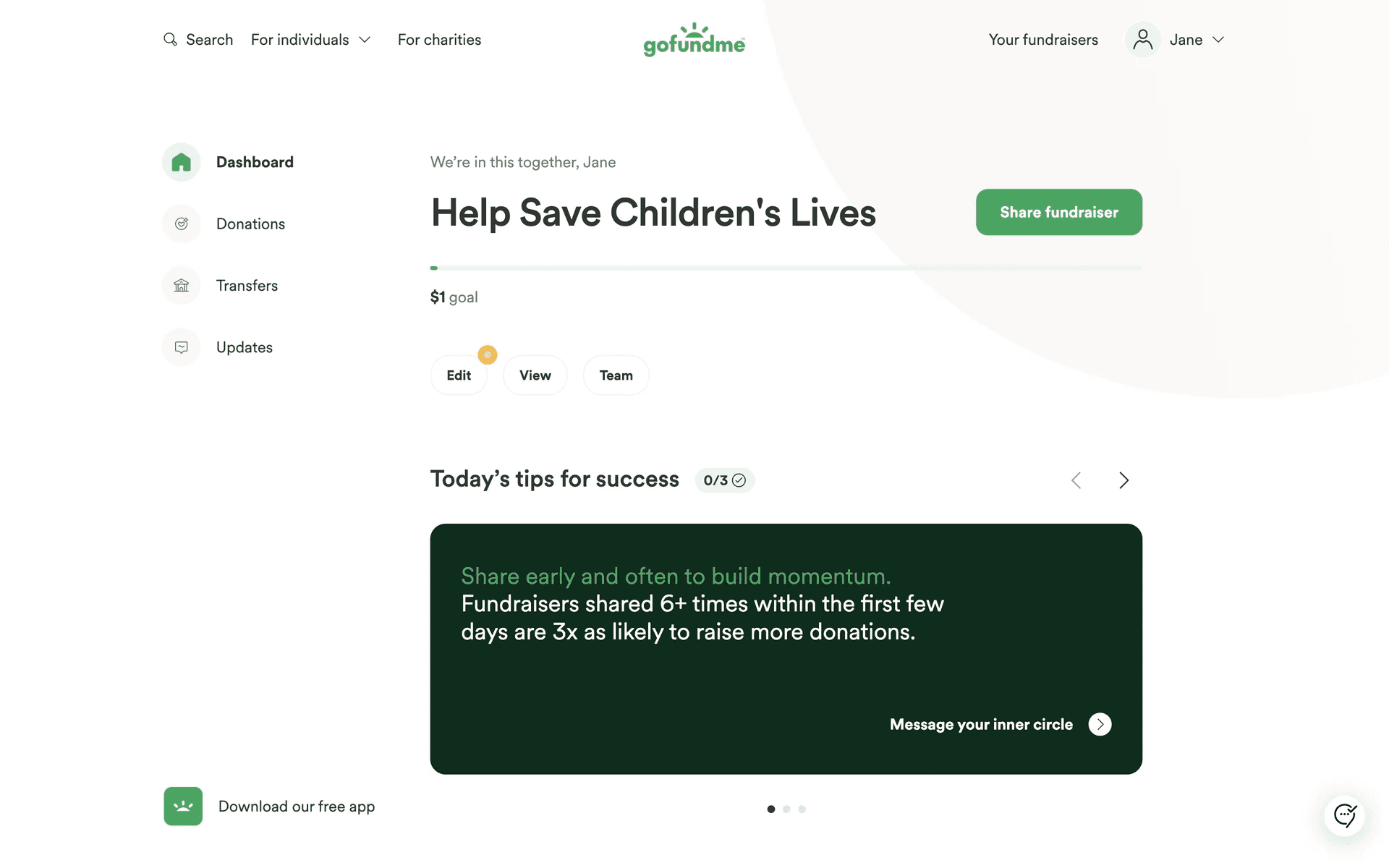
Moss Green, #ADDFAD, is effective as a secondary color within a 60-30-10 structure. Pair it with warm off-whites or light grays for a subtle, organic feel. For a more striking effect, create contrast with deep navy blues or rich, earthy browns.While not widely used, you can see shades similar to Moss Green in the branding of companies like GoFundMe. Its relative rarity in digital design offers a significant opportunity for brands to build a memorable and distinct visual identity.To see how Moss Green works in practice, use the tools below. You can explore curated palettes, check color contrast for accessibility, and see #ADDFAD applied to real UI components from well-known apps.

Using Moss Green color codes

Applying Moss Green to your work is simple using its hex code, #ADDFAD. This six-digit code is the standard for specifying colors in HTML and CSS, ensuring precise color reproduction on any digital screen.Depending on your medium, you may need to convert #ADDFAD into other formats. For digital work, RGB values define the color through red, green, and blue light. For print, CMYK values dictate the mix of cyan, magenta, yellow, and black inks needed to create the hue on paper.We've prepared a full range of color code conversions for #ADDFAD below. Just find the format you need and copy it directly into your project.

Moss Green

#ADDFAD

Access our full UI & UX library today.

What color is Moss Green?

Moss Green is a muted, earthy green characterized by its distinct yellow undertones, giving it a natural, organic appearance.As a warm-toned color, it feels grounded and soothing, avoiding the intensity of more saturated greens.

What is the meaning of Moss Green?

Moss Green symbolizes endurance and grounding, evoking a sense of calm and restoration rooted in the natural world.It represents harmony and quiet strength, suggesting a connection to the earth and a feeling of peaceful renewal.

How do I use Moss Green (#ADDFAD) in UI design?

Moss Green, #ADDFAD, is effective as a secondary color within a 60-30-10 structure. Pair it with warm off-whites or light grays for a subtle, organic feel. For a more striking effect, create contrast with deep navy blues or rich, earthy browns.While not widely used, you can see shades similar to Moss Green in the branding of companies like GoFundMe. Its relative rarity in digital design offers a significant opportunity for brands to build a memorable and distinct visual identity.To see how Moss Green works in practice, use the tools below. You can explore curated palettes, check color contrast for accessibility, and see #ADDFAD applied to real UI components from well-known apps.

Using Moss Green color codes

Applying Moss Green to your work is simple using its hex code, #ADDFAD. This six-digit code is the standard for specifying colors in HTML and CSS, ensuring precise color reproduction on any digital screen.Depending on your medium, you may need to convert #ADDFAD into other formats. For digital work, RGB values define the color through red, green, and blue light. For print, CMYK values dictate the mix of cyan, magenta, yellow, and black inks needed to create the hue on paper.We've prepared a full range of color code conversions for #ADDFAD below. Just find the format you need and copy it directly into your project.

Moss Green Code Conversions

HEX

#ADDFAD

LAB

84, -26, 19

RGB

173, 223, 173

XYZ

51.2, 64.7, 49.3

HSL

120°, 44%, 78%

LCH

84, 32, 143°

HSB

120°, 22%, 87%

LUV

84, -25, 32

CMYK

22, 0, 22, 13

CMYK

22, 0, 22, 13

HWB

120°, 68%, 13%

Moss Green Color Harmonies

Analogous

Analogous colors are found next to each other on the color wheel. Used alongside Moss Green, they create a harmonious and naturally serene palette.

#C6DFAD

#ADDFAD

#ADDFC6

#C6DFAD

#ADDFAD

#ADDFC6

Complementary

Complementary colors sit opposite each other on the color wheel. When paired with Moss Green, they create a high-contrast, visually striking combination.

#ADDFAD

#DFADDF

#ADDFAD

#DFADDF

Split Complementary

Split complementary colors for Moss Green use the two colors adjacent to its direct complement, offering a vibrant yet balanced and harmonious palette.

#ADDFAD

#C6ADDF

#DFADC6

#ADDFAD

#C6ADDF

#DFADC6

Triadic

A triadic scheme pairs Moss Green with two other colors, all evenly spaced on the color wheel for a high-contrast, harmonious effect.

#ADDFAD

#ADADDF

#DFADAD

#ADDFAD

#ADADDF

#DFADAD

Tetradic

For a vibrant tetradic palette, Moss Green is joined by three other colors, forming two complementary pairs in a rectangle across the color wheel.

#ADDFAD

#ADC6DF

#DFADDF

#DFC6AD

#ADDFAD

#ADC6DF

#DFADDF

#DFC6AD

Square

A square color scheme pairs Moss Green with three other colors, equally spaced on the color wheel, for a strikingly contrasting palette.

#ADDFAD

#ADC6DF

#DFADDF

#DFC6AD

#ADDFAD

#ADC6DF

#DFADDF

#DFC6AD

Moss Green Contrast Simulation

Text Color

#

Background Color

#

13.94

Super

Small Text
Pass
Large Text
Pass
Graphic Components
Pass

Your Catchy Large Text Goes Here

A high contrast makes anything easier to read, especially small text.

Text Color

#

Background Color

#

Your Catchy Large Text Goes Here

A high contrast makes anything easier to read, especially small text.

13.94

Super

Small Text
Pass
Large Text
Pass
Graphic Components
Pass

Moss Green Color Variations

Shades

By adding black to Moss Green, you create darker shades that introduce depth and gravity.

#ADDFAD

#94BF94

#7C9F7C

#637F63

#4A604A

#314031

#192019

#000000

#ADDFAD

#94BF94

#7C9F7C

#637F63

#4A604A

#314031

#192019

#000000

Tints

Tints of Moss Green are created by mixing in white, resulting in softer, airier variations.

#ADDFAD

#B9E4B9

#C4E8C4

#D0EDD0

#DCF1DC

#E8F6E8

#F3FAF3

#FFFFFF

#ADDFAD

#B9E4B9

#C4E8C4

#D0EDD0

#DCF1DC

#E8F6E8

#F3FAF3

#FFFFFF

Tones

Tones of Moss Green are created by adding gray, resulting in a softer, desaturated appearance.

#ADDFAD

#A7D1A7

#A0C4A0

#9AB69A

#93A993

#8D9B8D

#868E86

#808080

#ADDFAD

#A7D1A7

#A0C4A0

#9AB69A

#93A993

#8D9B8D

#868E86

#808080

Hues

Hues are variations of Moss Green, differing in temperature or intensity to create distinct moods.

#ADDFAD

#ADDFD3

#ADC6DF

#BAADDF

#DFADDF

#DFADBA

#DFC6AD

#D3DFAD

#ADDFAD

#ADDFD3

#ADC6DF

#BAADDF

#DFADDF

#DFADBA

#DFC6AD

#D3DFAD

What Interfaces Use Colors Like Moss Green?
Never run out of
inspiration again.

Use Mobbin for free as long as you like or get full access
with any of our paid plans.

  • Coinbase

  • Wise

  • Headspace

  • Airbnb

  • Uber

  • Nike

  • Pinterest

  • ChatGPT

  • Shopify

  • Loom

  • Creme

  • Mailchimp

  • Twitch

  • Spotify

  • Apple TV

  • Shop

  • Cosmos

  • Retro

  • Notion

  • Dropbox

Never run out of
inspiration again.

Use Mobbin for free as long as you like or get full access with any of our paid plans.

  • Coinbase

  • Wise

  • Headspace

  • Airbnb

  • Uber

  • Nike

  • Pinterest

  • ChatGPT

  • Shopify

  • Loom

  • Creme

  • Mailchimp

  • Twitch

  • Spotify

  • Apple TV

  • Shop

  • Cosmos

  • Retro

  • Notion

  • Dropbox

© Mobbin 2018-2026
© Mobbin 2018-2026
© Mobbin 2018-2026
© Mobbin 2018-2026
© Mobbin 2018-2026
© Mobbin 2018-2026