Google Chrome Yellow

Meet Google Chrome Yellow (#FFCE44), a color that instantly grabs attention. Its intense saturation and bright, almost electric quality make it a standout choice, offering a pure and unapologetic burst of yellow that feels both modern and powerful in any palette.

What color is Google Chrome Yellow?

Google Chrome Yellow is a vibrant and warm shade, radiating a sunny and energetic quality. It sits comfortably between a pure, primary yellow and a deeper, more golden hue.Its warmth comes from subtle orange undertones, giving it a rich and inviting appearance without being overly saturated. This makes the color feel both bright and substantial.

What is the meaning of Google Chrome Yellow?

Google Chrome Yellow (#FFCE44) channels the core psychology of yellow, evoking feelings of optimism, intellect, and cheerfulness. It’s the color of a bright idea, symbolizing the clarity and creative energy that drives innovation.Tied to the browser itself, the color represents speed, accessibility, and the pursuit of knowledge. It suggests a friendly and efficient experience, embodying the spirit of progress and discovery on the web.

How do I use Google Chrome Yellow (#FFCE44) in UI design?

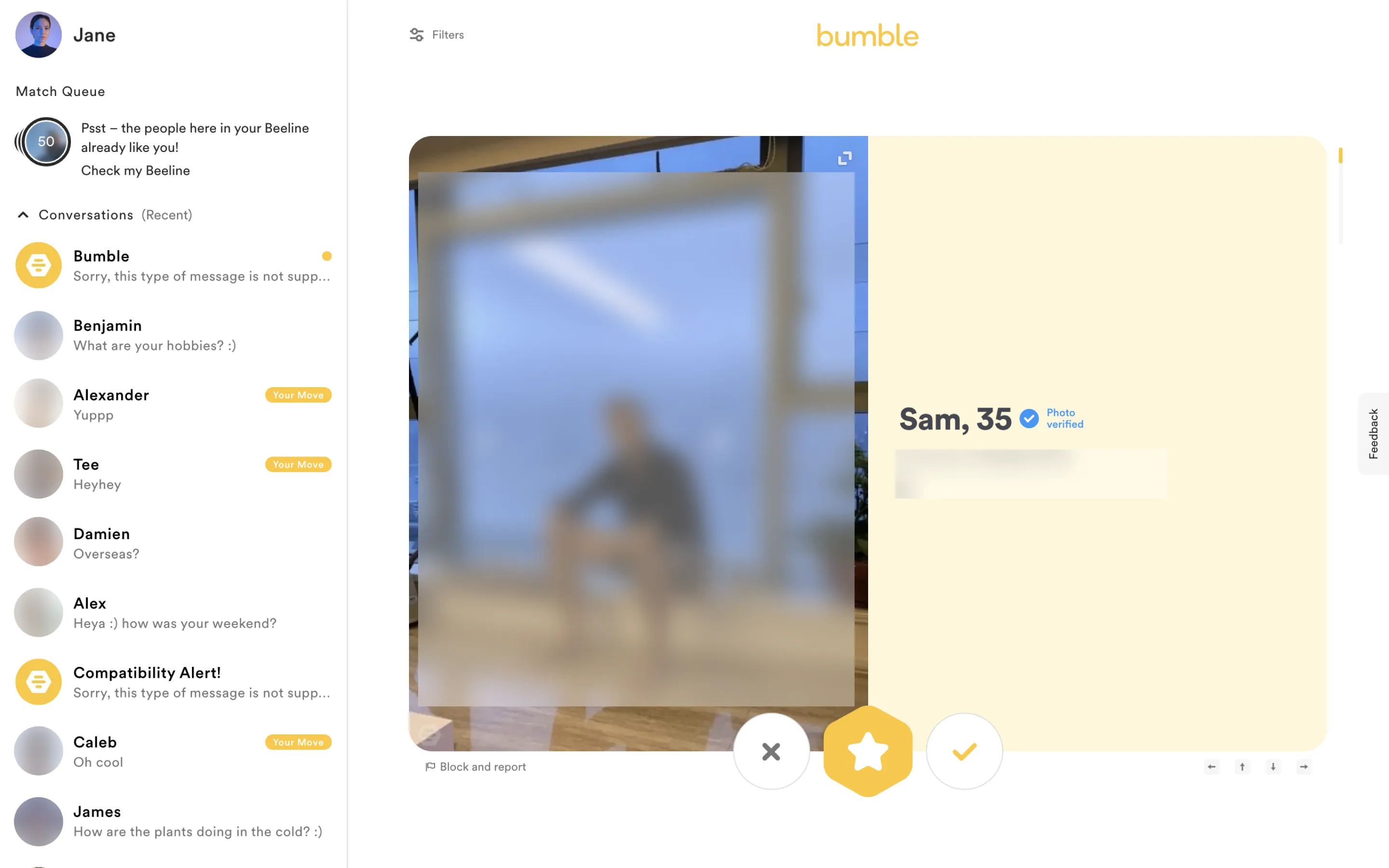
Google Chrome Yellow, #FFCE44, works exceptionally well as an accent color for calls-to-action, icons, and other interactive elements. It creates a sharp, readable contrast against dark backgrounds like deep blues or charcoals. For a clean and modern feel, pair it with a neutral palette of whites and grays, letting the yellow provide a focused burst of energy.Several prominent brands use a similar shade of yellow to appear friendly and optimistic. Companies like Binance, Bumble, Headspace, Kitchen Stories, Zeplin, and Lemon Squeezy build their visual identity around this color to make their products feel more approachable.To see how #FFCE44 performs in a real interface, use the tools on this page. You can explore curated palettes, test color contrast for accessibility, and preview Google Chrome Yellow in UI components from top brands.

Using Google Chrome Yellow color codes

Using Google Chrome Yellow in your projects is straightforward, but it's important to use the right code for the right medium. While #FFCE44 is the go-to for web development, print and digital design often call for different color models.Each color code represents the same hue in a different language. For instance, RGB (Red, Green, Blue) is the standard for digital screens, defining colors by the intensity of light. CMYK (Cyan, Magenta, Yellow, Key/Black) is its counterpart for print, based on ink mixing. Other models like HSL (Hue, Saturation, Lightness) offer more intuitive ways to make adjustments in digital design.To make things easier, we've converted Google Chrome Yellow's hex code #FFCE44 into a variety of popular formats. You can find and copy the exact values you need for your project below.

Google Chrome Yellow

#FFCE44

Access our full UI & UX library today.

What color is Google Chrome Yellow?

Google Chrome Yellow is a vibrant and warm shade, radiating a sunny and energetic quality. It sits comfortably between a pure, primary yellow and a deeper, more golden hue.Its warmth comes from subtle orange undertones, giving it a rich and inviting appearance without being overly saturated. This makes the color feel both bright and substantial.

What is the meaning of Google Chrome Yellow?

Google Chrome Yellow (#FFCE44) channels the core psychology of yellow, evoking feelings of optimism, intellect, and cheerfulness. It’s the color of a bright idea, symbolizing the clarity and creative energy that drives innovation.Tied to the browser itself, the color represents speed, accessibility, and the pursuit of knowledge. It suggests a friendly and efficient experience, embodying the spirit of progress and discovery on the web.

How do I use Google Chrome Yellow (#FFCE44) in UI design?

Google Chrome Yellow, #FFCE44, works exceptionally well as an accent color for calls-to-action, icons, and other interactive elements. It creates a sharp, readable contrast against dark backgrounds like deep blues or charcoals. For a clean and modern feel, pair it with a neutral palette of whites and grays, letting the yellow provide a focused burst of energy.Several prominent brands use a similar shade of yellow to appear friendly and optimistic. Companies like Binance, Bumble, Headspace, Kitchen Stories, Zeplin, and Lemon Squeezy build their visual identity around this color to make their products feel more approachable.To see how #FFCE44 performs in a real interface, use the tools on this page. You can explore curated palettes, test color contrast for accessibility, and preview Google Chrome Yellow in UI components from top brands.

Using Google Chrome Yellow color codes

Using Google Chrome Yellow in your projects is straightforward, but it's important to use the right code for the right medium. While #FFCE44 is the go-to for web development, print and digital design often call for different color models.Each color code represents the same hue in a different language. For instance, RGB (Red, Green, Blue) is the standard for digital screens, defining colors by the intensity of light. CMYK (Cyan, Magenta, Yellow, Key/Black) is its counterpart for print, based on ink mixing. Other models like HSL (Hue, Saturation, Lightness) offer more intuitive ways to make adjustments in digital design.To make things easier, we've converted Google Chrome Yellow's hex code #FFCE44 into a variety of popular formats. You can find and copy the exact values you need for your project below.

Google Chrome Yellow Code Conversions

HEX

#FFCE44

LAB

85, 4, 71

RGB

255, 206, 68

XYZ

64.4, 65.8, 14.8

HSL

44°, 100%, 63%

LCH

85, 71, 87°

HSB

44°, 73%, 100%

LUV

85, 41, 80

CMYK

0, 19, 73, 0

CMYK

0, 19, 73, 0

HWB

44°, 27%, 0%

Google Chrome Yellow Color Harmonies

Analogous

Analogous colors sit next to each other on the color wheel. Grouped with Google Chrome Yellow, these hues produce a cohesive and tranquil palette.

#FF7044

#FFCE44

#D3FF44

#FF7044

#FFCE44

#D3FF44

Complementary

Complementary colors are opposites on the color wheel, creating a striking visual contrast. The complement to Google Chrome Yellow results in a bold, energetic pairing.

#FFCE44

#4475FF

#FFCE44

#4475FF

Split Complementary

A split complementary scheme pairs Google Chrome Yellow with the two colors adjacent to its complement, creating a high-contrast look with more nuance.

#FFCE44

#44D3FF

#7044FF

#FFCE44

#44D3FF

#7044FF

Triadic

A triadic harmony is built from three colors equidistant on the color wheel. Using Google Chrome Yellow, this combination offers a bold and balanced look.

#FFCE44

#44FFCE

#CE44FF

#FFCE44

#44FFCE

#CE44FF

Tetradic

A tetradic scheme for Google Chrome Yellow uses two pairs of complementary colors, forming a rectangle on the color wheel for a rich, balanced palette.

#FFCE44

#44FF70

#4475FF

#FF44D3

#FFCE44

#44FF70

#4475FF

#FF44D3

Square

Square schemes pair four colors equidistant on the color wheel. This method produces a rich, high-contrast palette built around Google Chrome Yellow.

#FFCE44

#44FF70

#4475FF

#FF44D3

#FFCE44

#44FF70

#4475FF

#FF44D3

Google Chrome Yellow Contrast Simulation

Text Color

#

Background Color

#

14.16

Super

Small Text
Pass
Large Text
Pass
Graphic Components
Pass

Your Catchy Large Text Goes Here

A high contrast makes anything easier to read, especially small text.

Text Color

#

Background Color

#

Your Catchy Large Text Goes Here

A high contrast makes anything easier to read, especially small text.

14.16

Super

Small Text
Pass
Large Text
Pass
Graphic Components
Pass

Google Chrome Yellow Color Variations

Shades

Adding black to Google Chrome Yellow creates shades, which introduce depth and weight.

#FFCE44

#DBB13A

#B69331

#927627

#6D581D

#493B13

#241D0A

#000000

#FFCE44

#DBB13A

#B69331

#927627

#6D581D

#493B13

#241D0A

#000000

Tints

Tints are lighter versions of Google Chrome Yellow, created by adding white for a softer appearance.

#FFCE44

#FFD55F

#FFDC79

#FFE394

#FFEAAF

#FFF1CA

#FFF8E4

#FFFFFF

#FFCE44

#FFD55F

#FFDC79

#FFE394

#FFEAAF

#FFF1CA

#FFF8E4

#FFFFFF

Tones

Tones are created by adding gray to Google Chrome Yellow, softening its overall saturation.

#FFCE44

#EDC34D

#DBB855

#C9AD5E

#B6A166

#A4966F

#928B77

#808080

#FFCE44

#EDC34D

#DBB855

#C9AD5E

#B6A166

#A4966F

#928B77

#808080

Hues

Hues are variations of Google Chrome Yellow, differing in intensity and temperature to create distinct moods.

#FFCE44

#A4FF44

#44FF70

#44FFFD

#4475FF

#9F44FF

#FF44D3

#FF4446

#FFCE44

#A4FF44

#44FF70

#44FFFD

#4475FF

#9F44FF

#FF44D3

#FF4446

What Interfaces Use Colors Like Google Chrome Yellow?

Never run out of
inspiration again.

Use Mobbin for free as long as you like or get full access
with any of our paid plans.

  • Coinbase

  • Wise

  • Headspace

  • Airbnb

  • Uber

  • Nike

  • Pinterest

  • ChatGPT

  • Shopify

  • Loom

  • Creme

  • Mailchimp

  • Twitch

  • Spotify

  • Apple TV

  • Shop

  • Cosmos

  • Retro

  • Notion

  • Dropbox

Never run out of
inspiration again.

Use Mobbin for free as long as you like or get full access with any of our paid plans.

  • Coinbase

  • Wise

  • Headspace

  • Airbnb

  • Uber

  • Nike

  • Pinterest

  • ChatGPT

  • Shopify

  • Loom

  • Creme

  • Mailchimp

  • Twitch

  • Spotify

  • Apple TV

  • Shop

  • Cosmos

  • Retro

  • Notion

  • Dropbox

© Mobbin 2018-2026
© Mobbin 2018-2026
© Mobbin 2018-2026
© Mobbin 2018-2026
© Mobbin 2018-2026
© Mobbin 2018-2026