Azure Mist/Web

Meet Azure Mist/Web (#F0FFFF), a color that whispers rather than shouts. Its striking quality lies in its extreme lightness—a barely-there hint of cyan that hovers on the edge of pure white, offering a delicate and airy alternative to stark neutrals.

What color is Azure Mist/Web?

Azure Mist/Web is an exceptionally light, cool off-white with a subtle cyan undertone.Its composition is nearly pure white, distinguished by a whisper of blue-green that gives it a crisp, airy quality.

What is the meaning of Azure Mist/Web?

Azure Mist/Web communicates a profound sense of tranquility and mental clarity. Its near-white, airy nature fosters a feeling of quiet contemplation, suggesting an open and uncluttered state of mind.Symbolically, the color represents purity and fresh starts, akin to a blank canvas. It carries an ethereal quality that speaks to limitless potential and gentle beginnings, offering a subtle note of optimism.

How do I use Azure Mist/Web (#F0FFFF) in UI design?

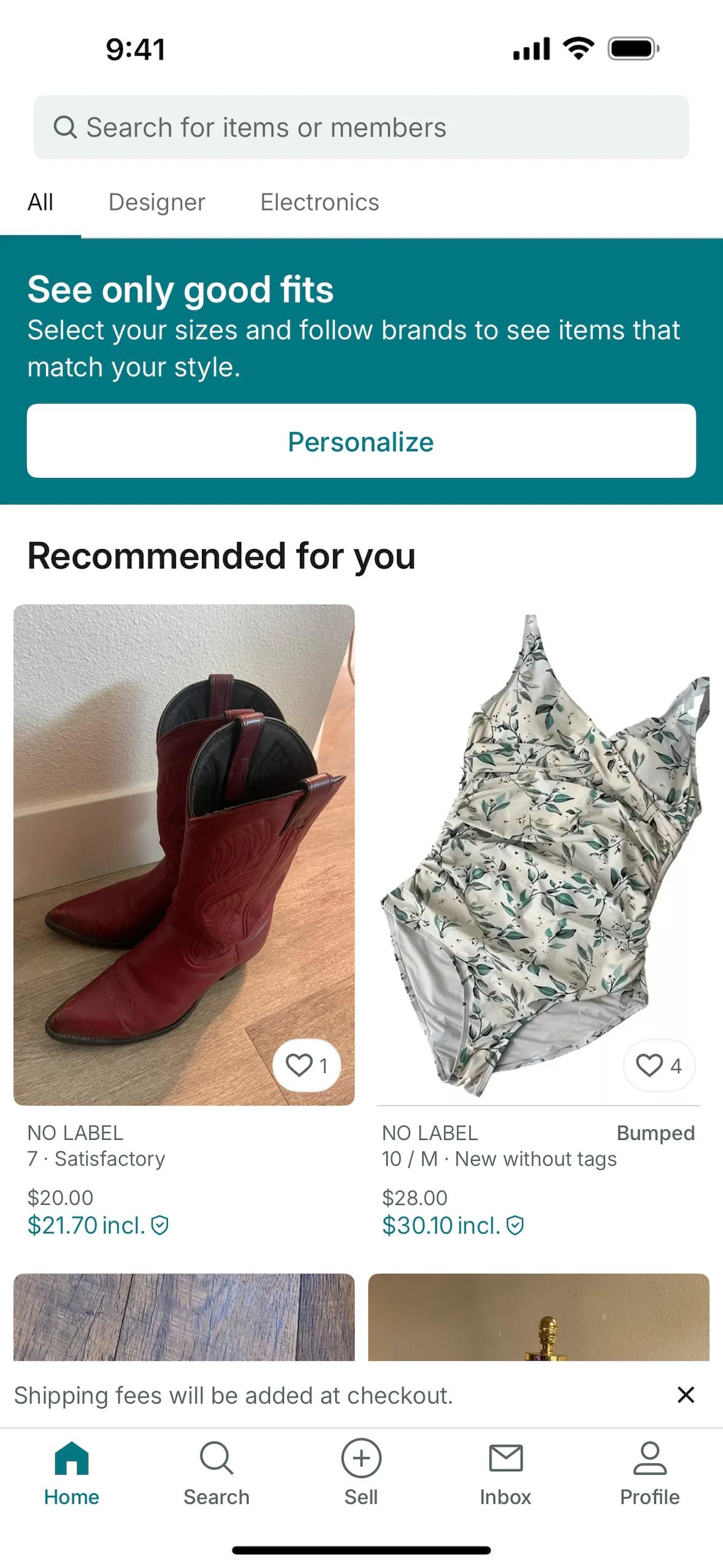
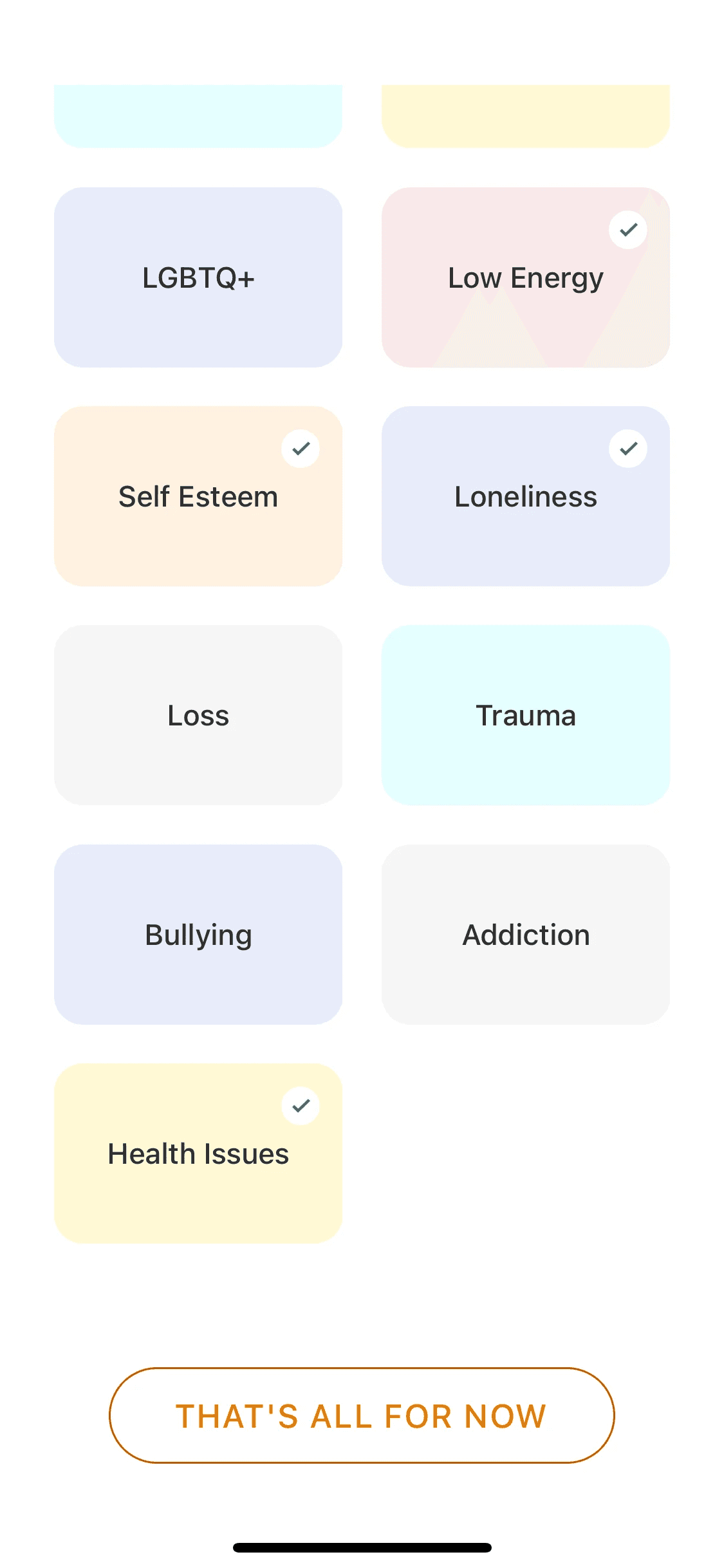
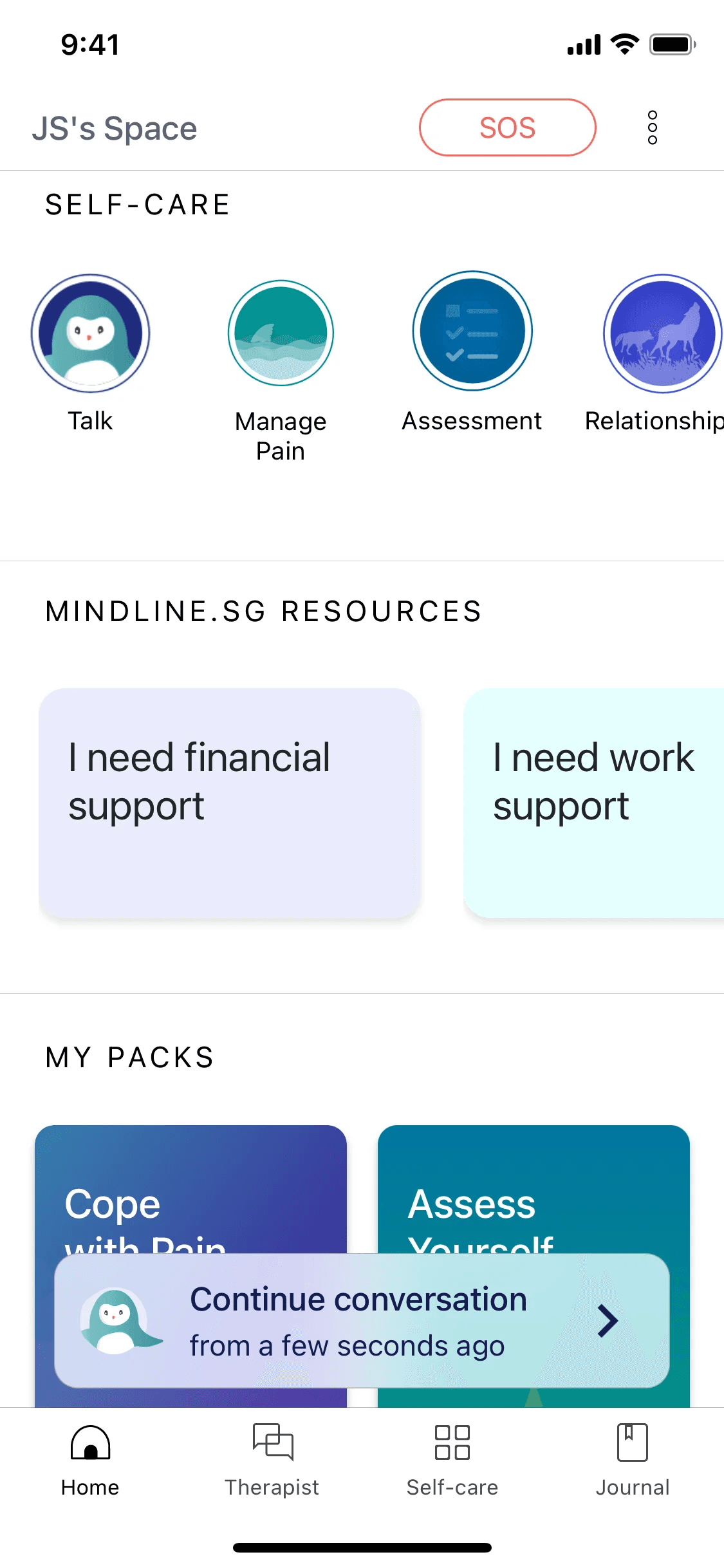
In UI design, Azure Mist/Web works beautifully as a primary background color, creating a sense of space and calm. To maintain readability, pair it with dark, saturated colors like deep navy or charcoal gray for text and important interface elements. For a harmonious palette, consider analogous shades of light blue and green, or introduce a soft, warm accent like peach or coral for calls-to-action, applying a classic 60-30-10 balance.While not a dominant choice for many brands, its subtlety is its strength. Companies like Yik Yak, Workable, Remind, Wysa, and Vinted incorporate similar light, airy tones to build clean and modern interfaces. Using a color like Azure Mist/Web can help a product feel fresh and uncluttered, offering a distinct visual identity in a market often filled with bolder palettes.To see how #F0FFFF performs, use the tools below to explore curated palettes, test its contrast for accessibility, and preview Azure Mist/Web in real UI components from leading apps.

Using Azure Mist/Web color codes

Using Azure Mist/Web in your projects starts with its hex code, #F0FFFF. While this code is standard for web development, maintaining color consistency across different media—from digital screens to printed materials—requires translating it into other formats. Each color model serves a specific purpose in a design workflow.The most common conversions are to RGB (Red, Green, Blue) for screen-based displays and CMYK (Cyan, Magenta, Yellow, Key/Black) for print. Other useful models include HSL (Hue, Saturation, Lightness), which offers a more intuitive way to make color adjustments, and specialized systems like LAB or LCH for perceptually uniform color spaces.To help you maintain accuracy in your work, we've converted the #F0FFFF hex code for Azure Mist/Web into a range of popular formats. You can find and copy the exact values you need for your tools below.

Azure Mist/Web

#F0FFFF

Access our full UI & UX library today.

What color is Azure Mist/Web?

Azure Mist/Web is an exceptionally light, cool off-white with a subtle cyan undertone.Its composition is nearly pure white, distinguished by a whisper of blue-green that gives it a crisp, airy quality.

What is the meaning of Azure Mist/Web?

Azure Mist/Web communicates a profound sense of tranquility and mental clarity. Its near-white, airy nature fosters a feeling of quiet contemplation, suggesting an open and uncluttered state of mind.Symbolically, the color represents purity and fresh starts, akin to a blank canvas. It carries an ethereal quality that speaks to limitless potential and gentle beginnings, offering a subtle note of optimism.

How do I use Azure Mist/Web (#F0FFFF) in UI design?

In UI design, Azure Mist/Web works beautifully as a primary background color, creating a sense of space and calm. To maintain readability, pair it with dark, saturated colors like deep navy or charcoal gray for text and important interface elements. For a harmonious palette, consider analogous shades of light blue and green, or introduce a soft, warm accent like peach or coral for calls-to-action, applying a classic 60-30-10 balance.While not a dominant choice for many brands, its subtlety is its strength. Companies like Yik Yak, Workable, Remind, Wysa, and Vinted incorporate similar light, airy tones to build clean and modern interfaces. Using a color like Azure Mist/Web can help a product feel fresh and uncluttered, offering a distinct visual identity in a market often filled with bolder palettes.To see how #F0FFFF performs, use the tools below to explore curated palettes, test its contrast for accessibility, and preview Azure Mist/Web in real UI components from leading apps.

Using Azure Mist/Web color codes

Using Azure Mist/Web in your projects starts with its hex code, #F0FFFF. While this code is standard for web development, maintaining color consistency across different media—from digital screens to printed materials—requires translating it into other formats. Each color model serves a specific purpose in a design workflow.The most common conversions are to RGB (Red, Green, Blue) for screen-based displays and CMYK (Cyan, Magenta, Yellow, Key/Black) for print. Other useful models include HSL (Hue, Saturation, Lightness), which offers a more intuitive way to make color adjustments, and specialized systems like LAB or LCH for perceptually uniform color spaces.To help you maintain accuracy in your work, we've converted the #F0FFFF hex code for Azure Mist/Web into a range of popular formats. You can find and copy the exact values you need for your tools below.

Azure Mist/Web Code Conversions

HEX

#F0FFFF

LAB

99, -5, -2

RGB

240, 255, 255

XYZ

89.7, 97.3, 108.6

HSL

180°, 100%, 97%

LCH

99, 5, 199°

HSB

180°, 6%, 100%

LUV

99, -8, -2

CMYK

6, 0, 0, 0

CMYK

6, 0, 0, 0

HWB

180°, 94%, 0%

Azure Mist/Web Color Harmonies

Analogous

Analogous colors sit beside Azure Mist/Web on the color wheel. Using them together in your designs produces a cohesive and tranquil visual experience.

#F0FFF8

#F0FFFF

#F0F8FF

#F0FFF8

#F0FFFF

#F0F8FF

Complementary

Complementary colors sit opposite each other on the color wheel, creating a high-contrast and vibrant effect when paired with a base like Azure Mist/Web.

#F0FFFF

#FFF0F0

#F0FFFF

#FFF0F0

Split Complementary

For a vibrant yet balanced palette, a split complementary scheme pairs Azure Mist/Web with the two colors neighboring its opposite on the wheel.

#F0FFFF

#FFF0F8

#FFF8F0

#F0FFFF

#FFF0F8

#FFF8F0

Triadic

Triadic palettes select three colors equally spaced on the color wheel, resulting in a vibrant, high-contrast combination with inherent visual balance.

#F0FFFF

#FFF0FF

#FFFFF0

#F0FFFF

#FFF0FF

#FFFFF0

Tetradic

A tetradic scheme for Azure Mist/Web uses two pairs of complementary colors, forming a rectangle on the color wheel for a vibrant palette.

#F0FFFF

#F8F0FF

#FFF0F0

#F8FFF0

#F0FFFF

#F8F0FF

#FFF0F0

#F8FFF0

Square

A square color scheme uses four colors evenly spaced on the color wheel, creating a vibrant and high-contrast palette with Azure Mist/Web.

#F0FFFF

#F8F0FF

#FFF0F0

#F8FFF0

#F0FFFF

#F8F0FF

#FFF0F0

#F8FFF0

Azure Mist/Web Contrast Simulation

Text Color

#

Background Color

#

20.45

Super

Small Text
Pass
Large Text
Pass
Graphic Components
Pass

Your Catchy Large Text Goes Here

A high contrast makes anything easier to read, especially small text.

Text Color

#

Background Color

#

Your Catchy Large Text Goes Here

A high contrast makes anything easier to read, especially small text.

20.45

Super

Small Text
Pass
Large Text
Pass
Graphic Components
Pass

Azure Mist/Web Color Variations

Shades

Shades of Azure Mist/Web are created by adding black, resulting in darker, weightier tones.

#F0FFFF

#CEDBDB

#ABB6B6

#899292

#676D6D

#454949

#222424

#000000

#F0FFFF

#CEDBDB

#ABB6B6

#899292

#676D6D

#454949

#222424

#000000

Tints

By mixing white with Azure Mist/Web, you create tints for a softer, airier palette.

#F0FFFF

#F2FFFF

#F4FFFF

#F6FFFF

#F9FFFF

#FBFFFF

#FDFFFF

#FFFFFF

#F0FFFF

#F2FFFF

#F4FFFF

#F6FFFF

#F9FFFF

#FBFFFF

#FDFFFF

#FFFFFF

Tones

Tones of Azure Mist/Web are created by adding gray, resulting in softer, more subdued variations.

#F0FFFF

#E0EDED

#D0DBDB

#C0C9C9

#B0B6B6

#A0A4A4

#909292

#808080

#F0FFFF

#E0EDED

#D0DBDB

#C0C9C9

#B0B6B6

#A0A4A4

#909292

#808080

Hues

Hues of Azure Mist/Web are variations that adjust the color's intensity and temperature for different effects.

#F0FFFF

#F0F4FF

#F8F0FF

#FFF0FB

#FFF0F0

#FFFBF0

#F8FFF0

#F0FFF4

#F0FFFF

#F0F4FF

#F8F0FF

#FFF0FB

#FFF0F0

#FFFBF0

#F8FFF0

#F0FFF4

What Interfaces Use Colors Like Azure Mist/Web?
Never run out of
inspiration again.

Use Mobbin for free as long as you like or get full access
with any of our paid plans.

  • Coinbase

  • Wise

  • Headspace

  • Airbnb

  • Uber

  • Nike

  • Pinterest

  • ChatGPT

  • Shopify

  • Loom

  • Creme

  • Mailchimp

  • Twitch

  • Spotify

  • Apple TV

  • Shop

  • Cosmos

  • Retro

  • Notion

  • Dropbox

Never run out of
inspiration again.

Use Mobbin for free as long as you like or get full access with any of our paid plans.

  • Coinbase

  • Wise

  • Headspace

  • Airbnb

  • Uber

  • Nike

  • Pinterest

  • ChatGPT

  • Shopify

  • Loom

  • Creme

  • Mailchimp

  • Twitch

  • Spotify

  • Apple TV

  • Shop

  • Cosmos

  • Retro

  • Notion

  • Dropbox

© Mobbin 2018-2026
© Mobbin 2018-2026
© Mobbin 2018-2026
© Mobbin 2018-2026
© Mobbin 2018-2026
© Mobbin 2018-2026