
Grammarly Colors
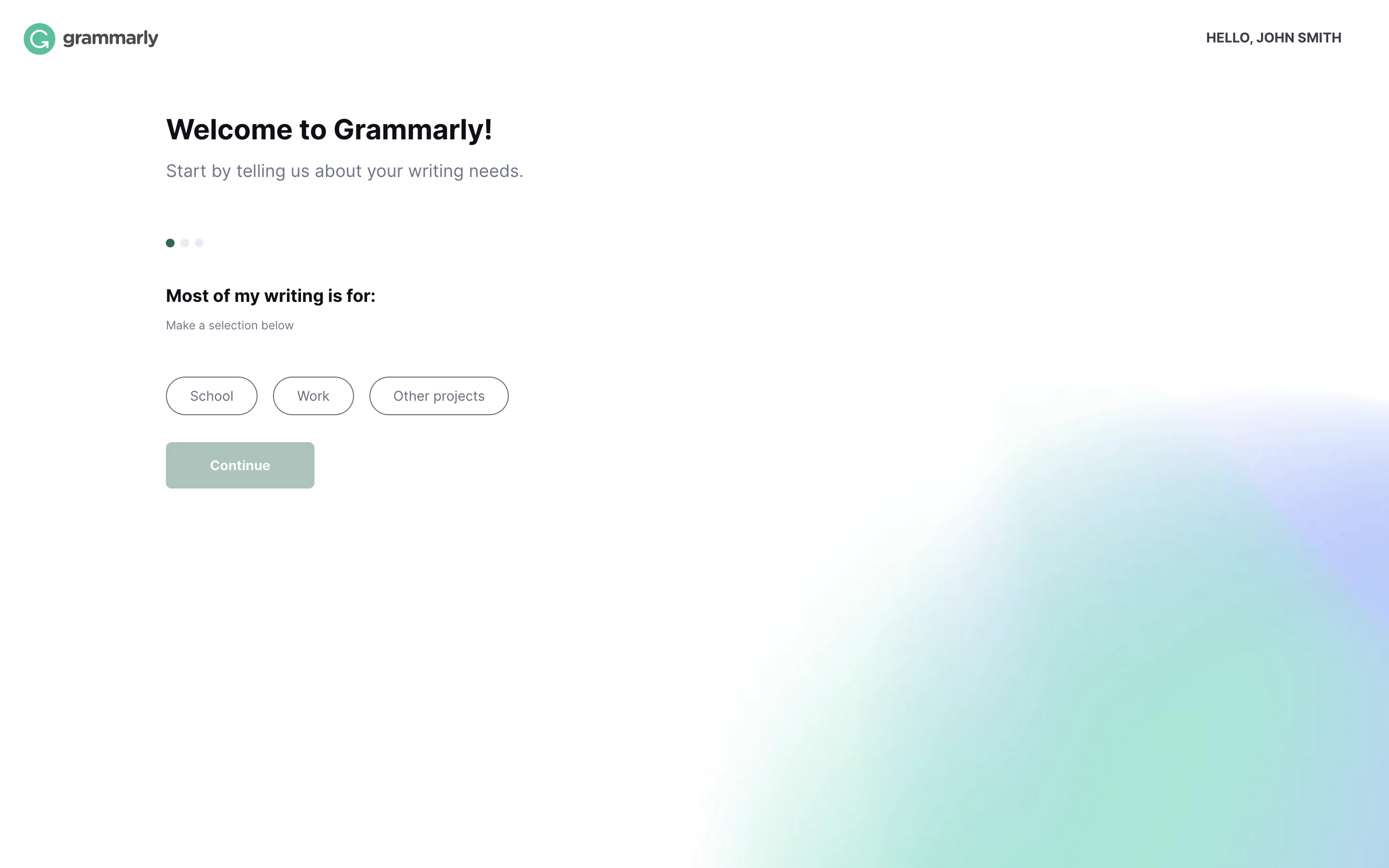
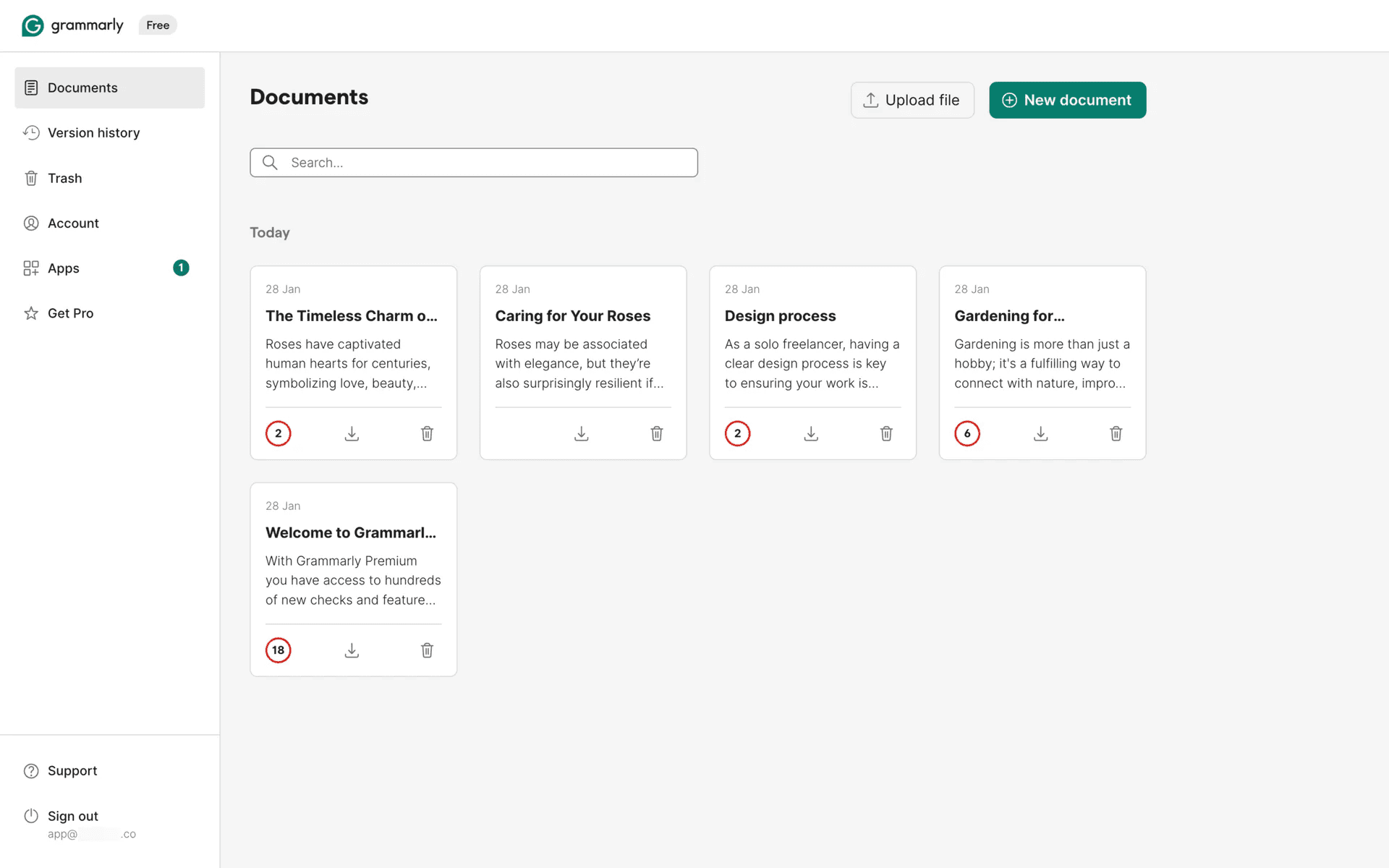
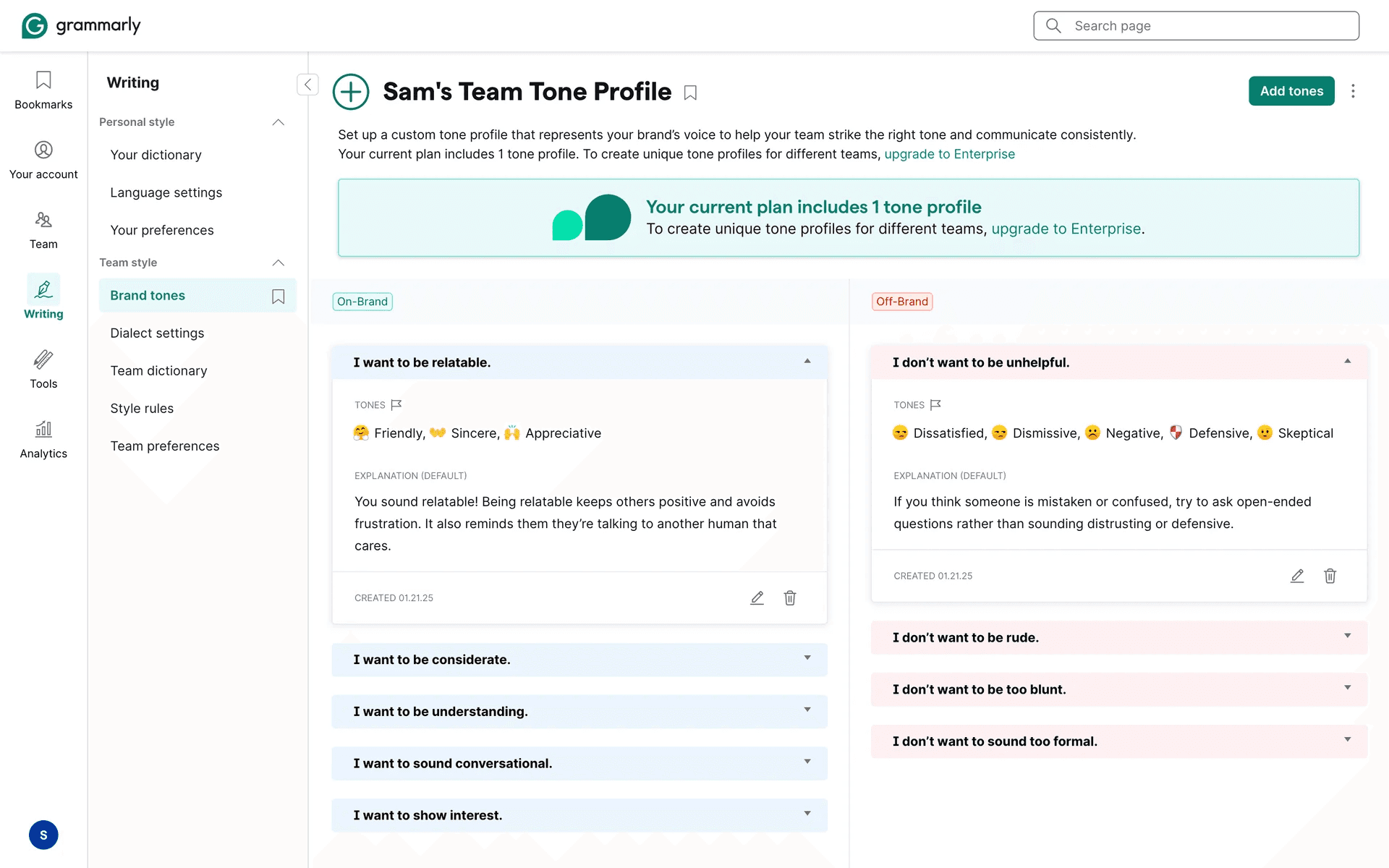
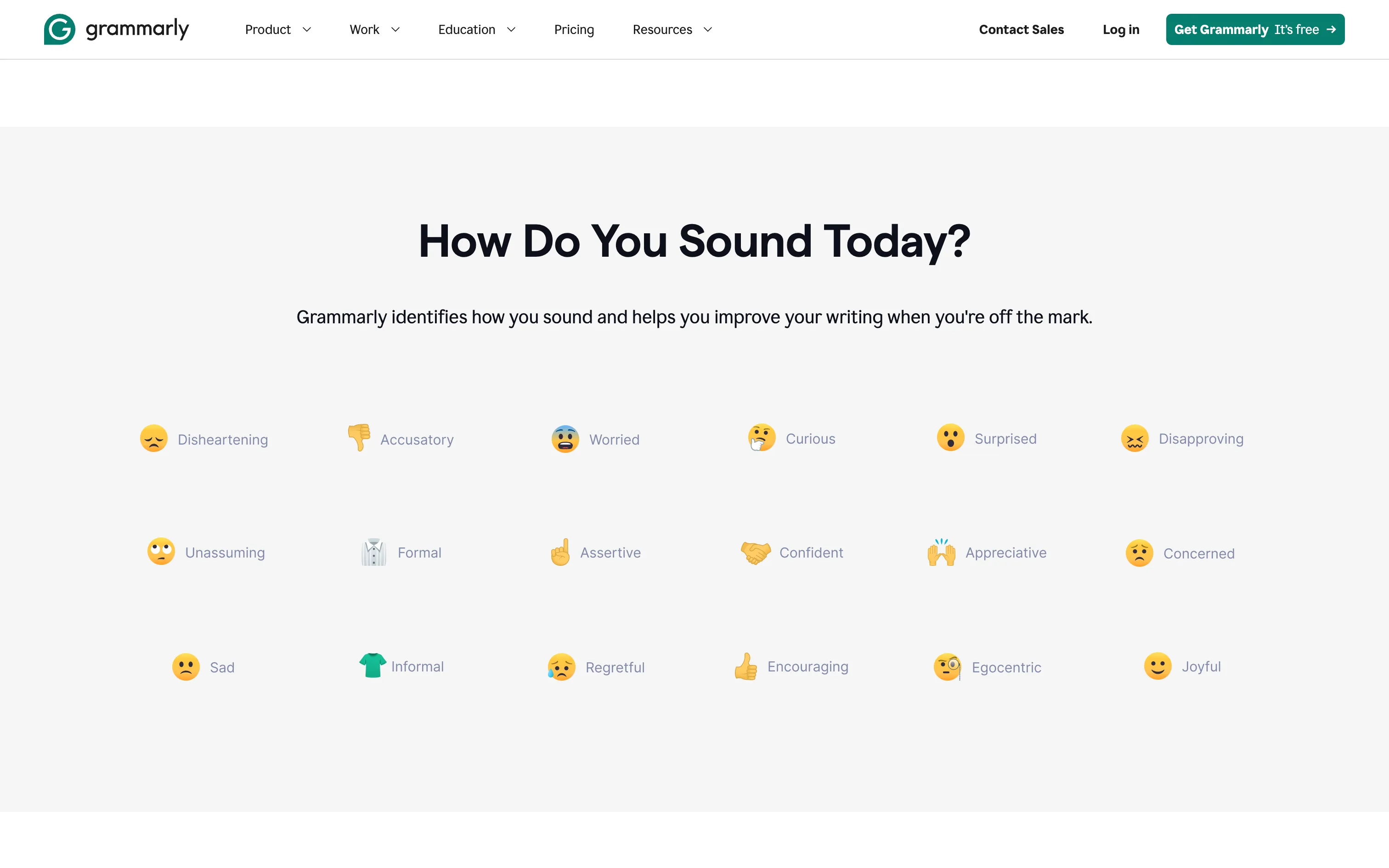
Grammarly is an AI-powered writing assistant trusted by millions for clear communication. Its branding features Pine Green, Arapawa, Mirage, Electric Lime, and White in its interface designs. You can easily copy these colors in Hex, CMYK, RGB and other popular formats on this page.
What are the main colors in Grammarly's color palette?
Grammarly's core color palette features a dynamic blend of Pine Green, Arapawa, Mirage, Electric Lime, and White. We've gathered these essential shades to help you capture their distinct brand identity in your next project.
What do the colors in Grammarly's app or website represent?
Grammarly's signature green evokes trust and correctness, reinforcing the confidence you feel when your writing is polished. This primary color is balanced by deep blues that suggest intelligence and a vibrant lime accent that adds a spark of innovation, creating a palette that feels both professional and encouraging.
How did Grammarly's color scheme come about?
Grammarly's choice of color is a masterclass in brand association, directly linking its product to concepts of growth, correctness, and the positive reinforcement you feel when writing well.
How does Grammarly use color psychology in its interface designs?
Grammarly masterfully guides your experience with color psychology: its signature Pine Green builds trust and signals correctness, while the vibrant Electric Lime draws your focus to key actions and suggestions.
What are some other colors that complement Grammarly's primary color?
To complement Grammarly's signature green, we suggest exploring warm, earthy tones like a soft coral or burnt sienna for an inviting contrast. Alternatively, a creamy beige could introduce a sophisticated, calming balance to the existing vibrant palette.
What other brands and colors can I find on Mobbin?
On our brand colors page, you can explore curated color palettes from top companies. You'll also find thousands of UI designs from various brands, offering endless inspiration for your next color combination.
How can Mobbin help me stay up-to-date with the latest UI/UX trends?
Mobbin keeps you at the forefront of design with our extensive, constantly updated library of mobile and web UI/UX patterns. By exploring the latest trends in everything from color usage to intricate user flows from top apps, you can easily absorb current best practices and stay ahead of the curve.
You can try Mobbin today for free for as long as you like, or get full access with any of our paid plans.
HEX
RGB
CMYK
HSB
HSL
#027e6f
2, 126, 111
98, 0, 12, 51
173°, 98%, 49%
173°, 97%, 25%
#ffffff
255, 255, 255
0, 0, 0, 0
0°, 0%, 100%
0°, 0%, 100%
#d5ff00
213, 255, 0
16, 0, 100, 0
70°, 100%, 100%
70°, 100%, 50%
#1f243c
31, 36, 60
48, 40, 0, 76
230°, 48%, 24%
230°, 32%, 18%
#1b0d6f
27, 13, 111
76, 88, 0, 56
249°, 88%, 44%
249°, 79%, 24%
Access our full UI & UX library today.
What are the main colors in Grammarly's color palette?
Grammarly's core color palette features a dynamic blend of Pine Green, Arapawa, Mirage, Electric Lime, and White. We've gathered these essential shades to help you capture their distinct brand identity in your next project.
What do the colors in Grammarly's app or website represent?
Grammarly's signature green evokes trust and correctness, reinforcing the confidence you feel when your writing is polished. This primary color is balanced by deep blues that suggest intelligence and a vibrant lime accent that adds a spark of innovation, creating a palette that feels both professional and encouraging.
How did Grammarly's color scheme come about?
Grammarly's choice of color is a masterclass in brand association, directly linking its product to concepts of growth, correctness, and the positive reinforcement you feel when writing well.
How does Grammarly use color psychology in its interface designs?
Grammarly masterfully guides your experience with color psychology: its signature Pine Green builds trust and signals correctness, while the vibrant Electric Lime draws your focus to key actions and suggestions.
What are some other colors that complement Grammarly's primary color?
To complement Grammarly's signature green, we suggest exploring warm, earthy tones like a soft coral or burnt sienna for an inviting contrast. Alternatively, a creamy beige could introduce a sophisticated, calming balance to the existing vibrant palette.
What other brands and colors can I find on Mobbin?
On our brand colors page, you can explore curated color palettes from top companies. You'll also find thousands of UI designs from various brands, offering endless inspiration for your next color combination.
How can Mobbin help me stay up-to-date with the latest UI/UX trends?
Mobbin keeps you at the forefront of design with our extensive, constantly updated library of mobile and web UI/UX patterns. By exploring the latest trends in everything from color usage to intricate user flows from top apps, you can easily absorb current best practices and stay ahead of the curve.
You can try Mobbin today for free for as long as you like, or get full access with any of our paid plans.
From palette to product
Trending brand colors
Badoo
Date Honestly
Badoo
Date Honestly

Balance
Meditation that adapts to you.
Balance
Meditation that adapts to you.

Basecamp
JUST LET ME DO MY JOB.
Basecamp
JUST LET ME DO MY JOB.

BeReal.
Your daily dose of real life.
BeReal.
Your daily dose of real life.

Bear
Write beautifully.
Bear
Write beautifully.

Behance
Showcase and discover the latest work from top online portfolios by creative professionals across industries.
Behance
Showcase and discover the latest work from top online portfolios by creative professionals across industries.
Never run out of
inspiration again.
Use Mobbin for free as long as you like or get full access
with any of our paid plans.

Coinbase

Wise
Headspace

Airbnb

Uber
Nike

Pinterest
ChatGPT

Shopify
Loom

Creme

Mailchimp

Twitch

Spotify

Apple TV

Shop

Cosmos

Retro
Notion

Dropbox
Never run out of
inspiration again.
Use Mobbin for free as long as you like or get full access
with any of our paid plans.
Coinbase
Wise
Headspace
Airbnb
Uber
Nike
Pinterest
ChatGPT
Shopify
Loom
Creme
Mailchimp
Twitch
Spotify
Apple TV
Shop
Cosmos
Retro
Notion
Dropbox
Never run out of
inspiration again.
Use Mobbin for free as long as you like or get full access with any of our paid plans.
Coinbase
Wise
Headspace
Airbnb
Uber
Nike
Pinterest
ChatGPT
Shopify
Loom
Creme
Mailchimp
Twitch
Spotify
Apple TV
Shop
Cosmos
Retro
Notion
Dropbox
Never run out of
inspiration again.
Use Mobbin for free as long as you like or get full access
with any of our paid plans.
Coinbase
Wise
Headspace
Airbnb
Uber
Nike
Pinterest
ChatGPT
Shopify
Loom
Creme
Mailchimp
Twitch
Spotify
Apple TV
Shop
Cosmos
Retro
Notion
Dropbox